Category
AI Workflow Automation Software: Buyer's Logic
You have a budget, a shortlist of vendors, and a demo on the calendar. The product looks slick, the word AI is on every slide, and the rep promises it will automate the work your team is buried in. The question that actually decides whether this spend pays off is not on that slide: can this software reach your systems, run the workflow you have, and survive the exceptions your team handles every day? Buy on the demo and you risk joining the long list of operators who licensed a tool, switched it on, and quietly went back to doing the work by hand.
The numbers say the demo is the wrong place to decide. McKinsey's State of AI in 2025 found that high performers are about 2.8 times more likely to have fundamentally redesigned their workflows than other organizations, 55 percent versus 20 percent, and that workflow redesign is among the strongest predictors of bottom-line impact. Arkeo AI has spent the last three years deploying these workflows in production for operators, and the lesson is consistent: software bolted onto a broken process inherits the brokenness. Before you compare another feature grid, it is worth a free AI Assessment to see whether off-the-shelf software is enough or your workflow needs more, and you can book that AI Assessment in one short session.
Quick Answer
• What it is: Software that executes an AI-driven workflow, reading inputs, applying judgment, acting across systems, and escalating to a person.
• What it can't do alone: Design, own, or govern the workflow, or reach systems it has no access to.
• How to evaluate: Score it on rollout ease, system fit, human review, scalability, exception handling, and audit logging, not the demo.
• Why it matters: McKinsey found redesigning the workflow, not buying a tool, is among the strongest links to real impact.
What Does AI Workflow Automation Software Actually Do?
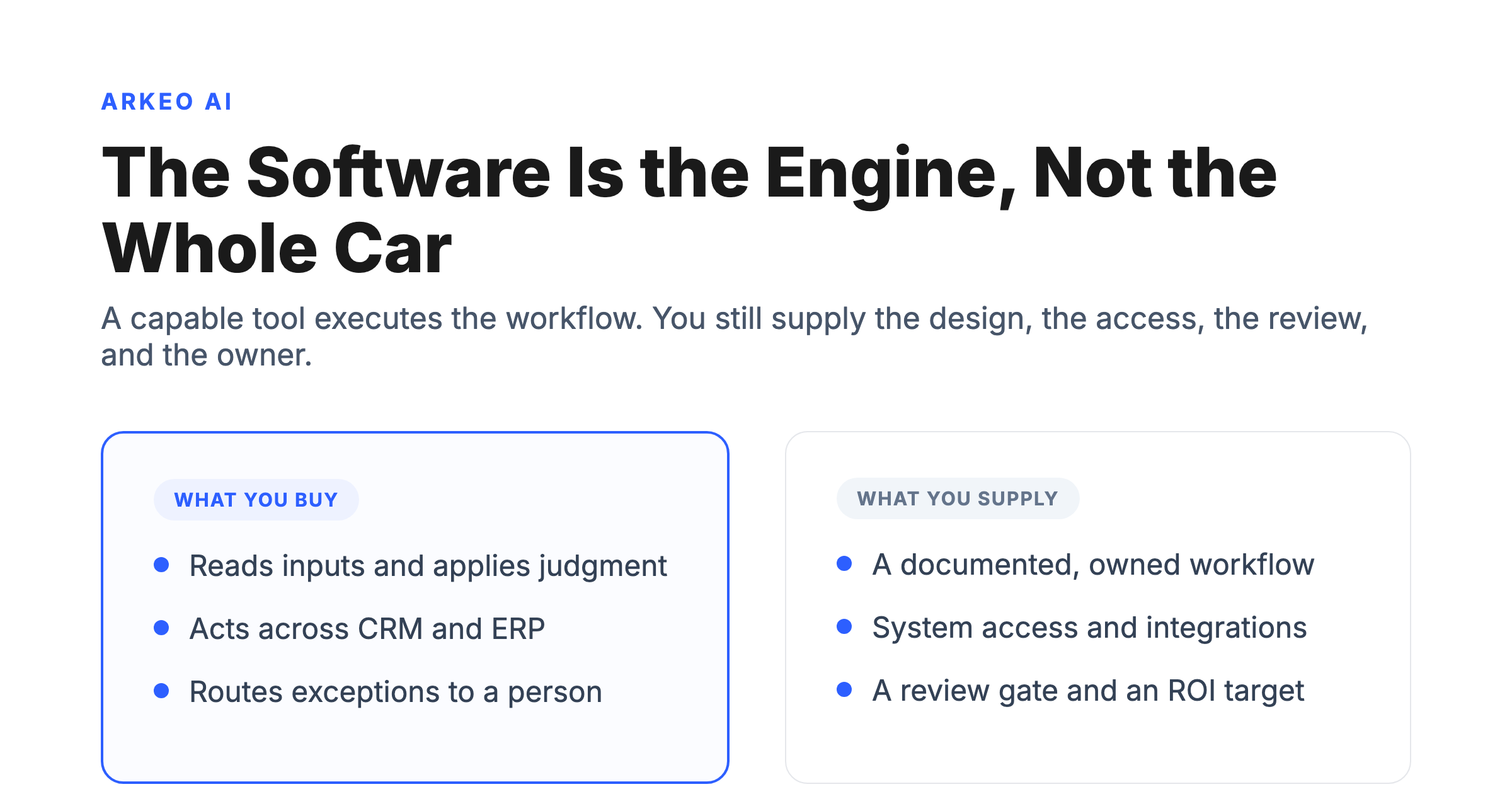
AI workflow automation software is the product that executes a workflow, but it is necessary, not sufficient: results depend on the quality of the workflow you give it, a clear owner, the access it has to your systems, and a real rollout plan. The software is the engine. The engine does not choose the route, decide who is driving, or fix the road. A capable product reads messy inputs such as emails and documents, applies rules and judgment, writes back into your CRM and ERP, scores its own confidence, and routes the cases it cannot handle to a person. That is genuinely useful. It is also only the part you can buy.
Typical product capabilities cluster into a few groups. There is input handling, the ability to read unstructured text and extract structured fields. There is decision logic, the mix of rules and model judgment that decides what happens next. There is system action, the connectors and APIs that let the tool read and write across the systems you already run. There is exception handling, the confidence scoring and routing that flags what a human must see. And there is governance, the audit logging, approvals, and access controls that keep an autonomous process accountable. Every serious product markets these. Whether any of them reach your specific stack is a different question, and it is the one that decides the outcome. For the broader category and how these pieces fit together, see our overview of AI workflow automation.
Why Doesn't Software Alone Guarantee Results?
Most buyers believe the right software will fix the workflow. They are wrong. Software executes a workflow; it cannot design, own, or govern one. That belief is exactly how a tool ends up shelved, and it explains a failure rate the vendors do not put in the brochure. Gartner predicts that over 40 percent of agentic AI projects will be canceled by the end of 2027, citing escalating costs, unclear business value, and inadequate risk controls. After 25 years running businesses and three years deploying AI inside them, the failure pattern Arkeo sees is depressingly consistent, and it has almost nothing to do with the model on the box. Three gaps cause most of it.
Workflow quality. If a process is confusing and full of exceptions when humans run it, automating it just produces wrong answers faster. The software cannot tell a good process from a bad one. It executes whatever you hand it, so a workflow that nobody has documented or simplified will fail in production no matter how strong the product. The redesign McKinsey ties to impact happens before the software, not inside it.
Owner clarity. The recurring failure Arkeo sees is software bought, switched on, and abandoned because no one owned the workflow. This shows up most often in accounts-payable, where five or six people touch an invoice before it posts. When the automation hits a mismatch at the matching step and no single person owns that step, the exception sits in a queue, the workflow stalls on day one, and within a week the team has quietly gone back to doing it by hand. This is a typical pattern, not one company, and it is the reason every automated workflow needs a named human owner before the software is even chosen.
Integration constraints. A slick UI and AI on the box tell you nothing about whether the tool reaches your CRM, your ERP, or the legacy database where the real data lives. If the software cannot read the source or write the result back, it cannot finish the job, no matter how capable the model is. This is the single most common reason a promising demo never makes it into production, and it almost never surfaces until after the contract is signed.
See whether software alone is enough
The free AI Assessment maps your real workflow, checks which systems a tool can actually reach, and tells you whether off-the-shelf software will deliver or stall.
Book Your Free AI Assessment →
How Should Buyers Evaluate AI Workflow Automation Software?
Stop scoring features and start scoring fit. The questions below separate a product that will deliver from one that will demo well and then stall. Run every shortlisted tool through this checklist before the next call.
Software evaluation checklist
• Ease of rollout: How long from contract to a working pilot, and how much engineering does it demand?
• System and integration fit: Does it have real connectors to your CRM, ERP, and the systems your workflow touches?
• Human review and approvals: Can a named owner review exceptions and approve edge cases inside the tool?
• Scalability: Does it hold up as volume grows, or only in a tidy demo dataset?
• Exception handling: What happens when an input does not match the rule, and where does that case go?
• Audit and logging: Is every decision, action, and access recorded so you can govern and prove it?
Two of those rows deserve extra weight. System fit is the line most demos quietly skip; ask for a live write into a sandbox of your own system, not a canned screen. Human review is the gate that keeps a confident wrong answer from becoming an expensive one, and the governance data says it is rarely in place: Deloitte's 2025 research found only about 1 in 5 firms has a mature model for governing autonomous AI agents, even as 85 percent expect to customize agents. Buying a tool that cannot log its own actions or route an exception to an owner is buying a liability. To see how categories of tooling compare on these dimensions, our breakdown of the AI workflow automation platform landscape goes deeper.
Four scoring criteria that beat any feature grid
The features on the vendor slide are easy to read and easy to copy. The four criteria below tell you whether the product will actually survive your operation.
Rollout ease
How quickly a small team can land the first workflow without a dedicated AI integration crew. Days, not quarters.
System fit
Native connectors to the systems you already run. Custom integration work compounds fast, score it honestly.
Human review
Built-in confidence scoring, exception queues, audit logs, and approval gates. Not a roadmap item, a shipped feature.
Scale and exceptions
How the product behaves under real volume and under messy real-world exceptions, not the curated demo data.
How Do You Know If You Are Ready to Roll Out?
Before any product can help, the workflow has to be ready for it. The most citation-worthy asset in this whole decision is not a feature comparison; it is an honest readiness check. Score your target workflow against the table below. Every row that lands in the right-hand column is a reason to slow down, not a reason to buy faster.
| Readiness question | Ready | Not ready |
|---|---|---|
| Workflow documented? | Steps, inputs, and exceptions are written down and agreed. | It lives in people's heads. Map it before you buy. |
| Clear owner? | One named person owns the workflow end to end. | Several hands touch it, nobody owns it. Assign first. |
| System access? | The tool can read and write the systems involved. | Key data is locked in a system with no connector. |
| Review path? | Exceptions route to a person who can decide. | No gate, so wrong answers ship automatically. |
| ROI target? | A measurable number: hours saved, errors cut, cycle time. | "Let us add some AI." No number to move. Define it. |
The diagram below makes the point visually: the software is one layer in a larger system, surrounded by the things it depends on but cannot supply for itself.
The software is one layer. The system is four.
AI workflow automation software is the engine. The engine does not choose the route, decide who is driving, or fix the road. The four things around the software are what decide whether the spend pays off.
Workflow design
The steps the engine runs. If the workflow itself is broken, the software inherits the brokenness, just faster.
System access
Whether the engine can actually reach your inbox, your CRM, your ERP, your shared drive. No access, no automation.
Human review
Where someone owns the exceptions and the high-stakes calls. The checkpoint that catches confident wrong answers.
Ownership
One named person accountable when something stalls. Not a committee, not a job description, a name.
Read the table and the diagram together and the buying logic falls out. The product you license sits in the middle. Workflow design, system access, human review, and ownership sit around it, and every one of those is your responsibility, not the vendor's. A tool dropped into a system where those four are missing does not fail loudly; it fails quietly, one stalled exception at a time, until the team stops trusting it. That is the failure the cancellation statistics describe. For help building the surrounding system, our overview of AI workflow automation services explains what implementation actually involves.
When Is Off-the-Shelf Software Enough, and When Do You Need More?
Off-the-shelf AI workflow automation software is genuinely enough when the workflow is predictable and the complexity is low. If a process is well documented, has a clear owner, runs on systems the tool can already reach, and carries little risk if an occasional case is wrong, a standard product on a 30-day pilot is the right call. Document extraction and report assembly are common starting points because the payback is fast and the blast radius is small. Run the tool alongside the existing process, keep a human reviewing every output, and measure against the baseline you captured before you started. If it moves the number inside a month, you scale; if it does not, you learned cheaply.
A deeper implementation plan is needed when the systems are complex or the workflow is high-risk. Processes that span several systems with no off-the-shelf connector, that carry regulatory or financial exposure when they get a case wrong, or that depend on judgment and tacit knowledge are not a buy-and-switch-on situation. These need the workflow redesigned, the integrations built, the review gates designed, and governance in place before any software runs. The trajectory makes this more pressing, not less: Gartner's August 2025 forecast projects task-specific AI agents in 40 percent of enterprise applications by 2026, up from under 5 percent in 2025, so the capability is arriving inside the tools you already own and the buying question is shifting from which product to which workflow, run how. Be skeptical of the labels on that wave, too. Gartner warns of agent washing, where vendors rebrand chatbots, robotic process automation, and assistants as agentic, and estimates only about 130 of the thousands of agentic vendors are real. The word on the box is not the capability in the box. Arkeo, which has built on-premise and private AI deployments through the Arkeo Operating System since 2023, treats the complex cases as private deployments by default, because we use what we sell and run our own business on it. For concrete patterns of what works, our library of AI workflow automation examples shows where each approach fits.
Buy the right way, not the fast way
In one free session you leave knowing whether off-the-shelf software covers your workflow or whether a tailored rollout is the safer bet.
Book Your Free AI Assessment →
When the product is enough, and when the workflow needs more
Off-the-shelf workflow software is the right answer surprisingly often. Custom agents are the right answer when judgment, access, and compounding intelligence are the actual bottleneck. The fork is not a feature debate, it is a workflow debate.





