Category
AI Workflow Automation Examples That Work
You have seen the demos. A polished video shows AI answering an email, summarizing a contract, or spinning up a report in seconds, and it looks like the future has arrived. Then you try to picture it running inside your business, on your messy inbox, your aging accounting system, your half-documented approval chains, and the picture gets blurry fast. The gap between a slick demo and a workflow that survives a Tuesday is the whole game, and the examples below are built for the Tuesday.
The value is real and it is already concentrating in specific places. Deloitte's 2025 study of more than 3,000 leaders found the highest-impact agentic use cases cluster in customer support, supply chain management, research and development, knowledge management, and cybersecurity, not in novelty demos. Arkeo AI has spent the last three years deploying these workflows in production for operators, and the lesson is consistent: a strong example is boring, repeatable, and owned. If you want the fastest path from reading examples to acting on them, you can book a free AI Assessment and walk out with a shortlist of the first workflows worth automating in your environment.
Quick Answer
• What makes a strong example: It is repeatable, has a clear owner, gives the AI the system access it needs, and keeps a human review path.
• Best functions: Operations intake triage, finance invoice and PO matching, admin onboarding paperwork, and sales support lead enrichment.
• Where to start: One owned, low-risk, well-understood workflow with a measurable target, not the flashiest demo.
• Why it matters: Gartner forecasts more than 40 percent of agentic AI projects will be canceled by 2027, usually because the example was a demo, not a durable workflow.
What Makes a Strong AI Workflow Automation Example?
The best AI workflow automation examples share four traits: they are repeatable, they have a clear owner, they give the AI the system access it needs, and they keep a human review path. Strip any one of those out and the example that dazzled in a demo stalls the moment it meets real volume. Repeatability means the workflow happens often enough and consistently enough that automating it pays back. A clear owner means one named person is accountable when an exception lands. System access means the AI can actually read the source data and write the result back. And a human review path means a confident wrong answer gets caught before it becomes an expensive one.
Most businesses think the flashiest demo is the best example to copy. They are wrong. The best first example is a boring, repeatable, well-owned workflow that nobody films for a launch video. The viral demo of an AI booking a restaurant or negotiating a refund is fun to watch and almost useless as a template, because it skips the four traits that make a workflow survive in production. Keep those four traits in view as you read the examples below; every one of them is built to pass that test, not to win a demo contest.
Strip any one of these out and the demo collapses on its first real Tuesday
Every workflow automation example that survives production shares the same four traits. Boring, repeatable, owned, instrumented. The viral demos that go nowhere skip at least two of them.
Repeatable
Happens often enough and consistently enough that automating the loop pays back inside a quarter.
Clear owner
One named person accountable when an exception lands. Not a committee, not a job description, a name.
System access
The AI can actually read the source data and write the result back into the system of record.
Human review path
Confident wrong answers get caught before they become expensive. The checkpoint is designed in, not bolted on.
What Are Good AI Workflow Automation Examples by Business Function?
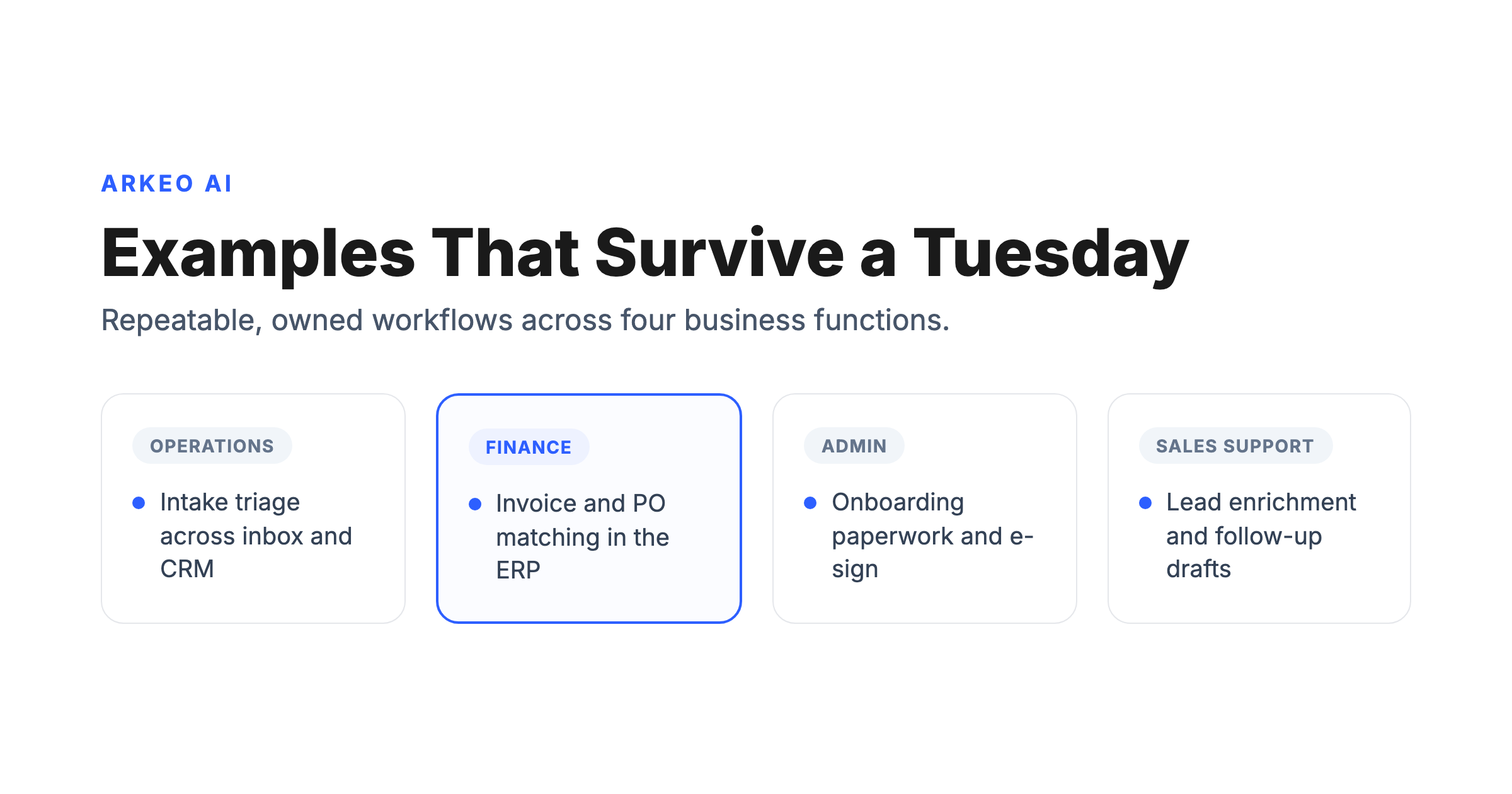
Here are four illustrative patterns, one per business function, drawn from where operators consistently find early wins. None of these is a named client or an invented dollar figure; each is a typical workflow you will recognize from your own operation. For each, the table that follows names the systems involved, what the AI does, where the human checks the work, and the expected result.
Operations: intake triage. A common operations example is inbound request triage. Requests, emails, and form submissions land in a shared inbox, and someone spends the first hour of every day reading them, deciding what each one is, and routing it. An AI workflow reads each inbound message, classifies it by type and urgency, drafts a first response, opens or updates the ticket, and routes the genuine edge cases to a person. Systems involved: the shared inbox, the ticketing tool, and the CRM. The human checkpoint is review of the low-confidence and high-stakes items the AI flags. The expected result is a queue that is sorted and acknowledged before the team sits down, with people spending their attention on the cases that actually need judgment.
Finance: invoice and PO matching. A typical finance example is matching invoices to purchase orders. Invoices arrive as PDFs and email attachments in a dozen formats, and someone keys the fields, hunts down the matching PO, and posts the result. An AI workflow extracts the invoice fields, matches them against the open purchase order and receipt, posts the clean matches, and flags the mismatches, missing POs, price discrepancies, and quantity gaps, for a human. Systems involved: the ERP or accounting system and the document store. The human checkpoint is the exception queue, where a finance owner resolves anything that did not match cleanly. The expected result is faster, more accurate posting with people reviewing exceptions instead of retyping every line.
Admin: onboarding and scheduling paperwork. A common admin example is onboarding paperwork. A new hire or a new vendor triggers a packet of documents that someone assembles, pre-fills, sends for signature, and chases until it is complete. An AI workflow assembles the right documents for the situation, pre-fills the known fields, routes the packet for e-signature, and confirms completion, nudging when something stalls. Systems involved: the HRIS, the e-signature tool, and the calendar. The human checkpoint is approval of the assembled packet before it goes out and review of anything unusual. The expected result is paperwork that completes on schedule without a person babysitting every step.
Sales support: lead enrichment and follow-up drafting. A typical sales support example is enriching new leads and drafting follow-ups. A lead comes in thin, just a name and an email, and a rep has to research the account, recall prior touches, and write a tailored note. An AI workflow enriches the new lead with firmographic context, summarizes the prior interactions on record, and drafts a tailored follow-up for the rep to approve and send. Systems involved: the CRM and email. The human checkpoint is the rep approving or editing the draft before anything reaches the prospect. The expected result is faster, better-informed follow-up without the rep starting from a blank page.
| Workflow | Systems involved | What the AI does | Human checkpoint | Expected result |
|---|---|---|---|---|
| Operations: intake triage | Shared inbox, ticketing, CRM | Reads inbound requests, classifies and routes them, drafts a first response, escalates edge cases | Reviews low-confidence and high-stakes items the AI flags | A sorted, acknowledged queue before the team starts the day |
| Finance: invoice and PO matching | ERP or accounting, document store | Extracts invoice fields, matches to the PO and receipt, posts clean matches, flags exceptions | Resolves the exception queue: mismatches, missing POs, price gaps | Faster, more accurate posting with people on exceptions only |
| Admin: onboarding paperwork | HRIS, e-signature, calendar | Assembles documents, pre-fills fields, routes for signature, confirms completion | Approves the assembled packet and reviews anything unusual | Paperwork that completes on schedule without manual chasing |
| Sales support: lead enrichment | CRM, email | Enriches the lead, summarizes prior touches, drafts a tailored follow-up | Rep approves or edits the draft before it reaches the prospect | Faster, better-informed follow-up from a non-blank page |
Read the table down the columns and a pattern appears. Every row keeps a named human checkpoint, every row spans systems the AI must be able to reach, and every row has a result you can measure. That is not a coincidence; it is the difference between an example that ships and one that dies. For the framing behind these patterns, see our pillar on AI workflow automation.
See which of these examples fits your operation
The free AI Assessment maps your real bottlenecks, scores each workflow for automation readiness, and shows which examples pay back fastest in your business.
Book Your Free AI Assessment →
What Do These AI Automation Examples Have in Common?
Strip away the function-specific detail and the four examples share the same skeleton: a structured flow, human checkpoints, and a clear outcome. The structured flow means each one moves through defined steps, capture the input, interpret it, act across the systems, and route the exceptions, rather than relying on a person to improvise every time. The human checkpoint is where someone owns the exceptions and the high-stakes calls, which is also where trust is built before any step gets handed fully to the machine. And the clear outcome is the number you agreed to move up front, hours saved, errors reduced, or cycle time cut, so you can tell whether the example actually worked instead of guessing.
The before-and-after map below shows that skeleton applied to the finance example, invoice and PO matching. On the left is the manual path most teams run today, a linear chain of re-keying and hunting. On the right is the AI-assisted flow, with the AI handling the routine matching and a human checkpoint catching the exceptions.
Invoice-to-PO matching, before and after AI carries the volume
Same finance team, same invoices, same approval policy. What changes is who reads each line. A linear chain of re-keying becomes an exception queue, and the team spends its time where its judgment actually matters.
Re-keying and hunting
Exception queue, not an inbox
Three structural ingredients every shipping example shares
Strip away the function-specific detail in the four examples above, and the same skeleton appears. Structured flow, human checkpoints, clear outcome. If your candidate workflow does not have all three, the example will stall before it earns trust.
Structured flow
Defined steps, not improvisation. Capture the input, interpret it, act across systems, route the exceptions, every time.
Human checkpoints
Someone owns the exceptions and the high-stakes calls. This is where trust gets built before any step gets handed fully to the machine.
Clear outcome
A number you agreed to move up front — hours saved, errors reduced, cycle time cut. Lets you tell if the example actually worked.
Here is the blunt truth a vendor brochure leaves out: most viral automation demos quietly die in production, and almost never because the AI was not smart enough. They die because nobody owned the workflow or nobody wired the systems together. The model is rarely the bottleneck. The bottleneck is the same operational gap that slowed the process down when humans ran it, the unowned step, the system the tool cannot reach, the exception that has no home. McKinsey's 2025 State of AI survey reports that 23 percent of organizations are now scaling AI agents in at least one function, led by IT, knowledge management, and engineering, while the majority are still experimenting. The companies that move from experiment to scale are the ones that treat these examples as operational redesigns, not software installs.
How Do You Choose Your First AI Workflow Automation Example to Pilot?
Picking your first example is mostly an exercise in resisting the urge to be ambitious. The best first pilot is a quick win on a low-risk workflow, one that scores well on the four traits and would not cause real damage if it got something wrong on day one. Score your candidates on four questions: Who owns this end to end? Which systems does it touch, and can a tool actually reach them? How repeatable is it? And is there a number you can move? A workflow that answers all four cleanly is a first-wave candidate. One that fails the owner or the access question goes back on the shelf until that gap is closed.
This is exactly the sequencing in the Arkeo methodology, which runs from mapping your Current State, through 30-to-90-Day Easy Wins, to Mid-Term Agent Opportunities and a Long-Term Architecture. The easy wins come first on purpose. Run a small test: pick one owned workflow, run the AI alongside the existing process rather than replacing it, keep a human reviewing every output, and measure against a baseline you captured before you started. If it does not move the number inside a month, you learn cheaply. If it does, you have a proven template for the next one. Once the basic patterns prove out, the cross-system processes where judgment lives become candidates for custom agents; our guide to agentic AI workflow automation covers when that step is worth taking, and our overview of an AI workflow automation platform covers how the pieces fit together.
One more honest caution: avoid starting with your most complex, most regulated, or least-understood process, and do not chase a fully autonomous agent before a simple assisted workflow has earned trust. Gartner's August 2025 forecast projects task-specific AI agents will be embedded in 40 percent of enterprise applications by 2026, up from under 5 percent in 2025, so the capability is arriving inside your tools whether you plan for it or not. The companies that benefit are the ones that pick the right boring example first, prove it, and build from there. Arkeo runs its own business on these workflows through the Arkeo Operating System, on private infrastructure, because we use what we sell.
Find your first automation example
In one free session you leave with a ranked shortlist of the workflows worth automating first and a clear view of the roadmap behind them.
Book Your Free AI Assessment →





