Category
What Is AI Workflow Automation?
Someone on your team is re-keying the same invoice number into three systems this week. An approval is sitting unread at the bottom of a manager's inbox, holding up an order. A report that should take an hour is being rebuilt by hand every Monday morning. None of it shows up on a dashboard, but all of it is quietly draining capacity, and it is exactly the kind of work AI workflow automation is built to take off your plate.
The shift is not theoretical, and it is arriving inside the software you already run. Gartner’s August 2025 forecast projects that task-specific AI agents will be embedded in 40 percent of enterprise applications by 2026, up from under 5 percent in 2025. Arkeo AI has spent the last three years deploying these workflows in production for operators, and the pattern is consistent: the companies that win redesign the work, while the ones that lose simply switch a tool on. This guide gives you the operator’s view of where AI changes the game and where it does not, and the fastest way to act on it is to book a free AI Assessment once you know what to look for.
Quick Answer
• What it is: Software that reads messy inputs, applies judgment, acts across your systems, and escalates to a person when needed.
• Where it helps most: Document-heavy work, cross-system tasks, approval chains, and reporting or triage.
• How to start: Pick one owned, well-understood workflow with a clear ROI target, not a broken process nobody runs.
• Why it matters: McKinsey found redesigning the workflow, not bolting AI onto a broken one, is among the strongest links to bottom-line impact.
What Is AI Workflow Automation?
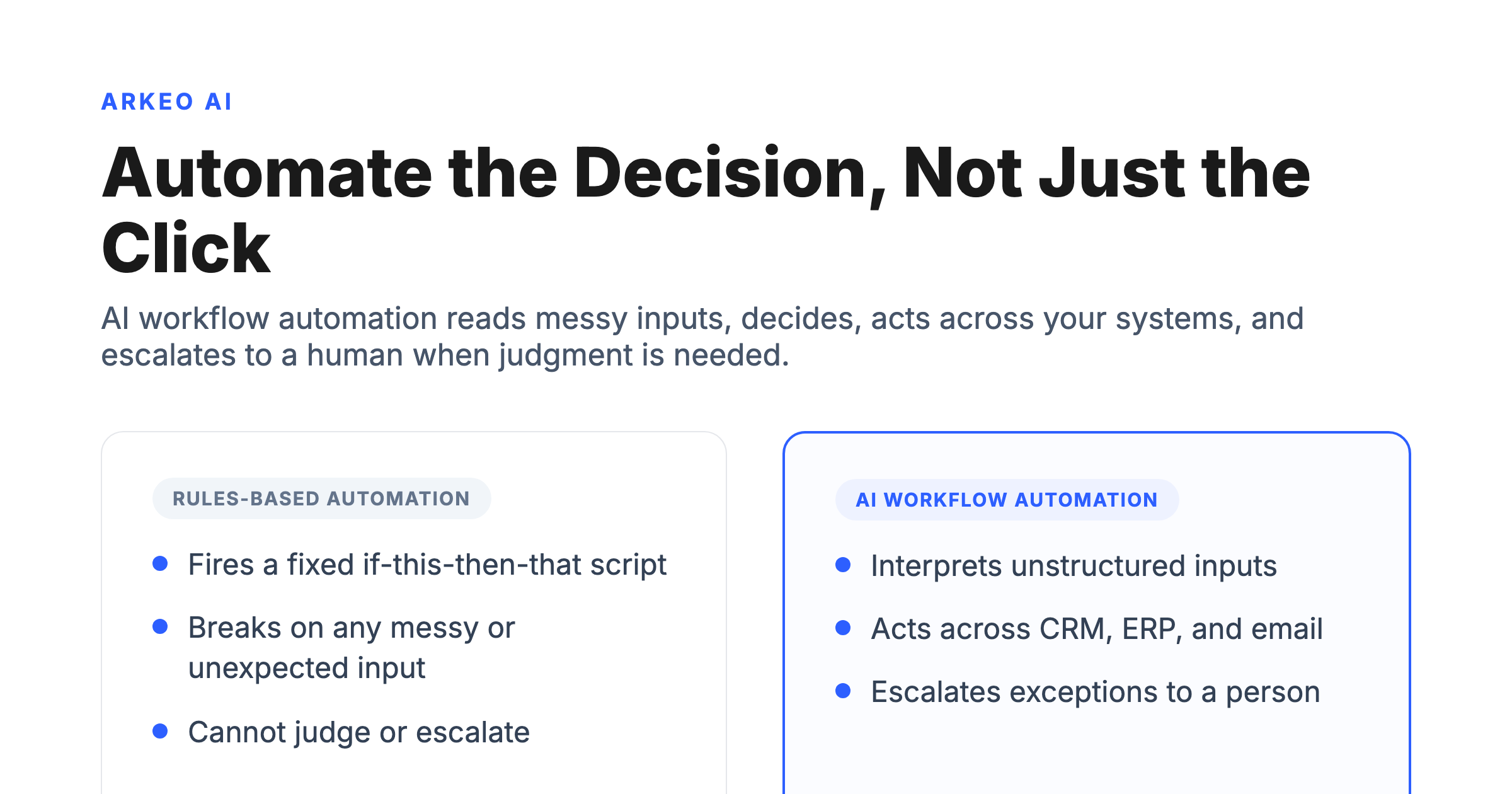
AI workflow automation is software that combines rules-based automation with interpretation, judgment, and adaptive execution, so a process can read messy inputs, decide, act across systems, and escalate to a human when needed. A traditional workflow tool fires a fixed if-this-then-that script and stops the moment reality does not match the rule. An AI workflow reads the unstructured email, infers the intent, checks its own confidence, takes action in the CRM and the ERP, and hands the genuine edge cases to a person.
That distinction matters more than the marketing suggests. McKinsey’s 2025 State of AI survey found that AI high performers are about 2.8 times more likely to have fundamentally redesigned their workflows than other organizations, 55 percent versus 20 percent, and that workflow redesign is among the strongest predictors of bottom-line impact of every factor the survey tested. The takeaway for you is blunt: value comes from redesigning the workflow, not from bolting AI onto a broken one.
How Does It Differ From Standard Automation and AI Tools?
Most businesses think automating a workflow means buying software and switching it on. They are wrong. The software is the last 20 percent. The real work is mapping the process, defining the decision rules, connecting the systems, and deciding what a human still has to touch.
It also helps to separate three things people lump together. Standard automation runs fixed rules on clean data. A standalone AI tool, such as a chatbot or a summarizer, is smart but isolated: it answers a question or drafts text, then waits for a person to copy the output somewhere useful. AI workflow automation is the connective tissue that lets interpretation actually do something, by wiring judgment into a process that spans your systems. The comparison below shows where each one fits.
| Dimension | Traditional automation | AI workflow automation | Agentic automation |
|---|---|---|---|
| Inputs | Clean, structured data only | Messy, unstructured inputs read and interpreted | Open-ended goals and changing context |
| Decision logic | Fixed if-this-then-that rules | Interpretation plus rules, with confidence scoring | Plans, reasons, and chooses its own steps |
| Cross-system actions | One tool, or rigid point-to-point links | Reads and writes across CRM, ERP, and email | Orchestrates many tools toward an outcome |
| Exceptions | Fails or stops on anything unexpected | Flags low-confidence cases and routes them | Attempts recovery, then escalates if stuck |
| Human role | Builds and maintains every rule | Reviews exceptions and approves edge cases | Sets goals, guardrails, and audit controls |
| Best for | High-volume, identical, predictable tasks | Judgment-heavy work that spans systems | Multi-step processes with a clear outcome |
Read the table top to bottom and a theme appears. As you move right, the human role shifts from building every rule to reviewing exceptions to setting goals and guardrails. That is the real promise: not removing people, but moving them up the value chain to the decisions that need them. For a deeper look at the most autonomous column, see our guide to agentic AI workflow automation.
Standard automation runs a script. AI workflow automation reads, decides, acts.
Standard automation tools (Zapier, Make, classic RPA) execute defined steps. AI workflow automation handles the steps that need judgment, classification, drafting, and exception triage. They live in the same picture, but they do very different jobs.
Defined steps, no judgment
Reads, decides, acts, escalates
Where Does AI Workflow Automation Create the Most Value?
The highest returns cluster in four kinds of work, all of which break rules-based tools because they require reading, judgment, or coordination.
Document-heavy processes. Invoices, contracts, claims, intake forms, and email threads arrive as unstructured text. An AI workflow extracts the fields, validates them against your records, and posts the result, instead of forcing a person to retype it. This is consistently one of the first wins operators find.
Cross-system tasks. Real processes rarely live in one tool. A new order might touch the CRM, the ERP, an inventory system, and accounting. AI workflow automation reads and writes across those systems and keeps them in sync, which is exactly where brittle point-to-point integrations tend to fail.
Approval chains. Quotes, discounts, purchase orders, and time-off requests stall in inboxes. An AI workflow can apply your policy, auto-approve the routine cases, and route only the genuine exceptions to the right manager with the context already attached.
Reporting and triage. Pulling numbers, classifying tickets, and flagging anomalies eats hours every week. An AI workflow can assemble the report, triage the inbound queue, and surface what needs attention, so your team starts the day with answers instead of spreadsheets.
You can see the shape of these wins in our collection of AI workflow automation examples, drawn from operations, finance, and admin.
See where AI actually fits your operation
The free AI Assessment maps your real bottlenecks, scores each workflow for automation readiness, and shows which fixes pay back in 30 days.
Book Your Free AI Assessment →
Why Do So Many AI Automation Projects Fail?
Here is the part vendors leave out of the brochure: AI agents break, regularly, and broken processes break faster once they are automated. Gartner expects more than 40 percent of agentic AI projects to be canceled by the end of 2027, citing escalating costs, unclear business value, and inadequate risk controls. Automation is not magic, and most of these failures are self-inflicted. After 25 years running businesses and three years deploying AI inside them, the failure pattern Arkeo sees is depressingly consistent, and it has almost nothing to do with the model. The brochure promises a tool that drops in and just works; the reality is that the same operational gaps that slow a process down by hand are the ones that kill the automation. Vendors will not say that, because the gaps are not their problem to fix. Four patterns cause the bulk of the failures.
Automating a broken process. If a workflow is confusing and full of exceptions when humans run it, automating it just produces wrong answers faster. Fix the process, then automate the fixed version.
No workflow owner. The most common pattern is a company trying to automate a process that nobody actually owns. This shows up most often in accounts-payable workflows, where five or six people touch an invoice before it posts: someone receives it, someone codes it, someone matches it to a purchase order, someone routes it for approval. When the automation hits a mismatch at the matching step and no single person owns that step, the exception sits in a queue, the workflow stalls on day one, and within a week the team has quietly gone back to doing it by hand. This is a typical pattern, not one company, and it is the reason every automated workflow needs a named human owner before a line of it is built.
No system access. Another recurring pattern is choosing a workflow that spans systems the tool simply cannot reach. If the AI cannot read the source data or write the result back, it cannot finish the job, no matter how capable the model is.
No ROI target. "Let us add some AI" is not a goal. Without a measurable target, hours saved, errors reduced, cycle time cut, you cannot tell whether the project worked, and it becomes the first thing cut when budgets tighten. The governance gap is real too: Deloitte’s 2025 survey found only about 1 in 5 companies has a mature model for governing autonomous AI agents.
How Do You Decide What to Automate First?
Arkeo uses a simple four-stage model to sequence the work, and it keeps you out of the failure patterns above. It runs from Current State through 30-to-90-Day Easy Wins and Mid-Term Agent Opportunities to Long-Term Architecture. The diagram below lays out the four stages in order.
Four stages from current-state mess to a long-term workflow architecture
Most firms try to skip stage one. The pattern that ships is honest about the current state, picks the easy wins first, and builds out from there. Stages three and four only earn their place after stage two has paid back.
Current state
Map current shadow AI use, sensitive data exposure, and the workflows soaking the most senior time. Honest baseline.
30 to 90 day easy wins
One owned workflow with measurable payback. Built trust with the operating team before scaling.
Mid-term agents
Add two to three agents that compound on the first workflow. Tighten governance, expand scope.
Long-term architecture
Cross-department agent network on private infrastructure. Compounding moat your competitors cannot buy.
Current State. Map your bottlenecks and where your data actually lives before touching a tool. You cannot automate what you have not drawn, and most of the failures above trace back to skipping this step. The output is a short list of candidate workflows, each scored on four questions: Who owns this end to end? Which systems does it touch, and can a tool actually reach them? How messy are the inputs? And is there a number we can move, such as hours saved, errors cut, or cycle time reduced? A workflow that scores well on all four is a first-wave candidate. One that fails the owner or the access question goes back on the shelf until that gap is closed.
30-to-90-day easy wins. Start with off-the-shelf tools and well-scoped prompts on a single, owned, well-understood workflow with a clear ROI target. Document extraction and report assembly are common starting points because the payback is fast and visible. A 30-day test is deliberately small: pick one workflow, run the AI alongside the existing process rather than replacing it, keep a human reviewing every output, and measure against a baseline you captured before you started. If it does not move the number you picked inside a month, you learn cheaply and move on. If it does, you have proof and a template for the next one, not just a vendor's promise.
Mid-term agent opportunities. Once the easy wins prove the model, identify the top few custom workflow agents worth building, the cross-system processes where judgment lives and where off-the-shelf tools run out of road. These are the workflows that justify a custom build because they touch several systems, carry real exception volume, and have an owner ready to govern them. To compare the tooling involved, our overview of AI workflow automation software breaks down the categories.
What to avoid early. Do not start with your most complex, most regulated, or least-understood process. Do not chase a fully autonomous agent before a simple assisted workflow has earned trust. And do not skip the human review gate; it is what keeps a confident wrong answer from becoming an expensive one. The pattern that works is to sequence from low-risk, high-clarity wins toward the harder, higher-leverage work, never the other way around.
When Are AI Agents Part of the Answer, and When Is Automation Not Enough?
The diagram below shows how a single task moves through an AI workflow, from input to a decision point to system handoffs to a human review gate. It is the mental model to keep as you decide where agents belong.
Inside a working AI workflow, four moves and a checkpoint
Every shipping AI workflow runs the same shape. The first three moves are the agent's job, the fourth is the human's. Without the checkpoint the workflow eventually ships a confident wrong answer.
Read
Agent ingests the inbound signal: an email, a document, a ticket, a row in a database. Messy inputs welcome.
Decide
Agent applies rules and judgment, scores its confidence, picks the next action across the systems it can reach.
Act
Agent writes the result back: updates the CRM, posts to the ERP, files the ticket, drafts the response.
Escalate
Low-confidence items and high-stakes calls route to a human checkpoint with the full context attached.
Agents earn their place when a process is genuinely multi-step and open-ended, where the system has to plan, reason, and choose its own steps toward an outcome rather than follow a fixed path. The trajectory is clear: Gartner projects that 15 percent of day-to-day work decisions will be made autonomously through agentic AI by 2028, up from 0 percent in 2024, and that 33 percent of enterprise software will include agentic AI by the same year. Arkeo, which has been building on-premise and private AI deployments through the Arkeo Operating System since 2023, treats these as private AI deployments by default, because we use what we sell and we run our own business on it.
But automation alone is not always the answer. Some work is too rare, too high-stakes, or too dependent on relationships and tacit knowledge to hand to a machine. The skill is knowing the difference, and it is exactly the judgment that gets lost when a project rushes to automate everything. The goal is leverage on the right work, not automation for its own sake.
Find your first automation win
In one free session you leave with a ranked shortlist of workflows worth automating and a clear view of the roadmap behind them.
Book Your Free AI Assessment →





