Category
AI in Manufacturing Examples That Actually Work
Last updated: May 2026
You are past the question of whether AI belongs in manufacturing. You believe it does. The thing you cannot picture yet is what a real example looks like on your floor, in your systems, with your people, on a Tuesday. Most articles answer that with a glossy story about a famous plant you will never see inside, or a number with no workflow attached to it. That is not useful when you have to decide what to fund. Here is the pattern that holds in Arkeo's manufacturing engagements: the examples that pay off are never the flashiest. They are the ones bolted to a specific, repeatable trigger, fed by data you already capture, with one named person who reviews the output. Arkeo was founded in 2023 on 25 years of operating experience, and after three years deploying agents in real operations, the lesson repeats: value lives in the workflow, not the demo. If you want that fit checked against your own plant before you spend a budget, you can book a free AI Assessment. This page sits inside the broader guide to AI in manufacturing, and it gives you the examples in a form you can actually map to your operation.
Quick Answer
• What it is: A pattern library of real manufacturing AI examples grouped by workflow, not by company anecdote.
• How to read each one: Trigger, the data it needs, the action AI takes, who reviews it, and where value shows up.
• The categories: Shop floor (defect detection, operator assistance, maintenance alerts), planning and coordination (scheduling, inventory, document handling), and quality and compliance (inspection, traceability, non-conformance review).
• Why it matters: A useful example is attached to a workflow you can own, not novelty. That is what tells you which one to test first.
What makes a manufacturing AI example useful?
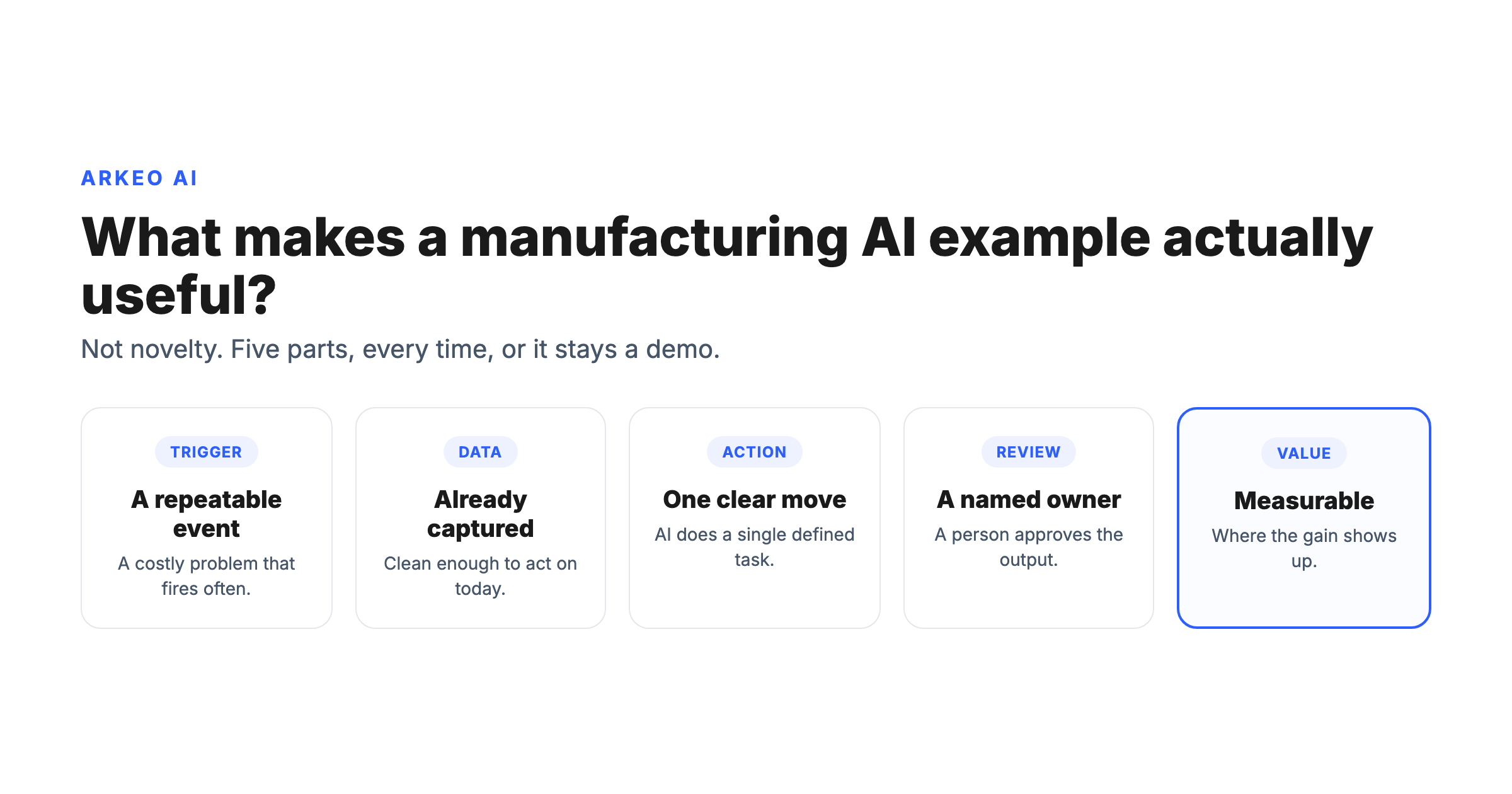
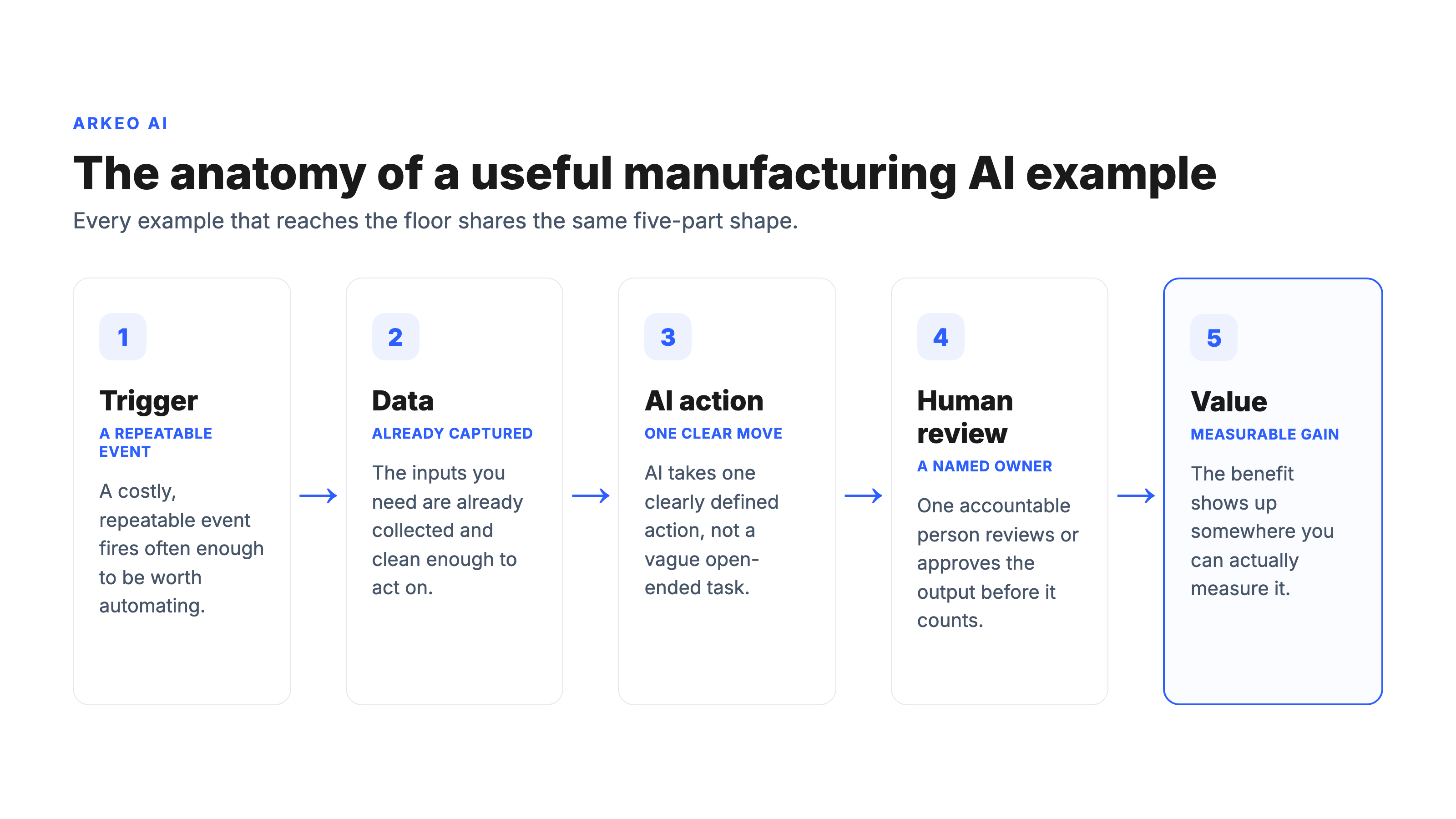
A useful manufacturing AI example is not defined by the technology. It is defined by the workflow it sits inside: a specific trigger fires, a defined set of data is available, AI takes one clear action, a named person reviews or approves it, and value shows up somewhere measurable. An example with all five parts can be tested, owned, and improved. An example missing one of them is a demo, not a deployment. That distinction is the whole point of this page. Read every example below through the same five-part lens, and the question stops being "is this impressive" and becomes "could this run in your plant next quarter."
Why does workflow context matter more than novelty?
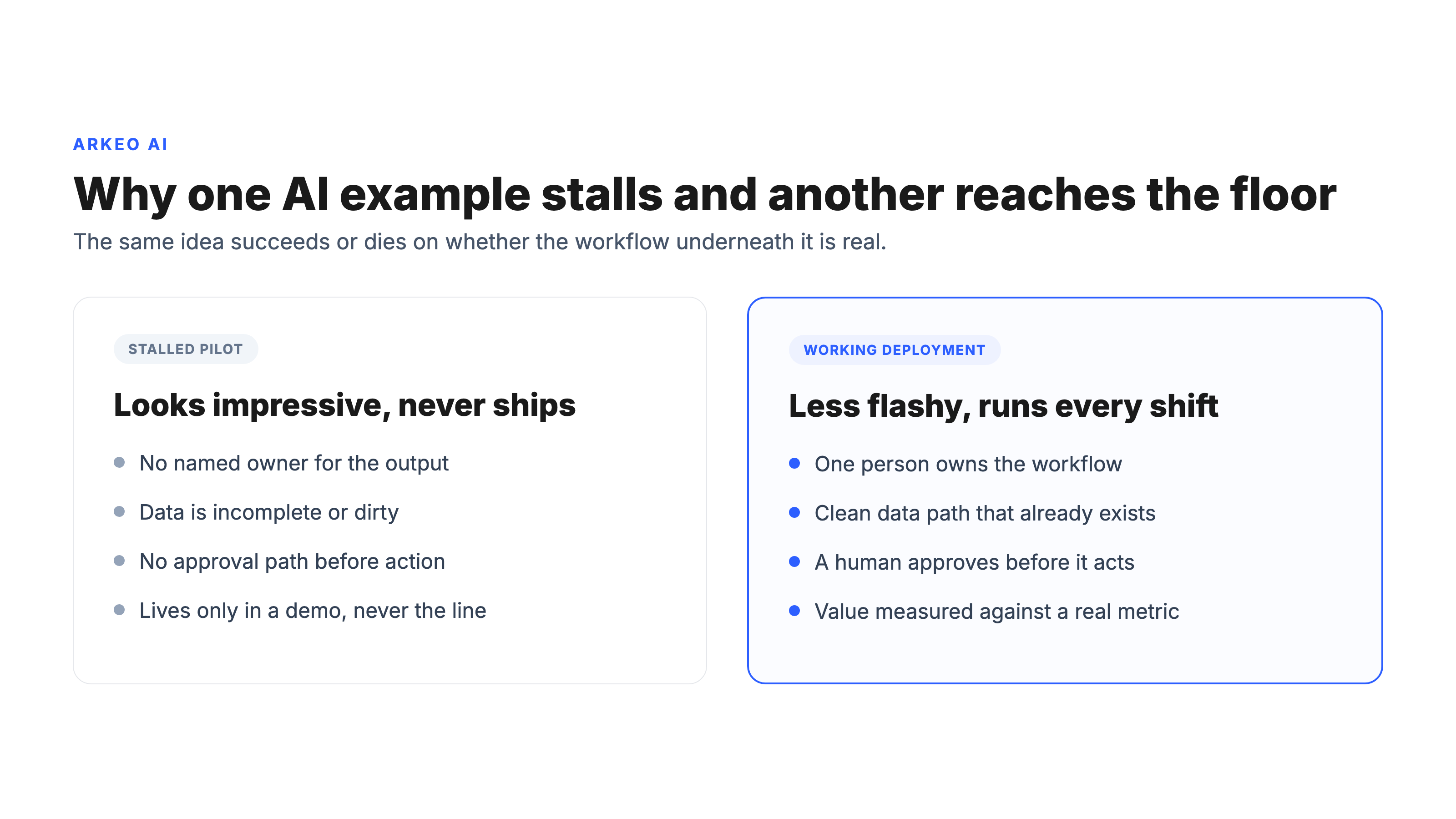
Most buyers think the best AI example is the most advanced one. They are wrong. The most advanced example is usually the one with the weakest workflow underneath it, because no one stopped to ask who owns the output or what data feeds it. Here is the blunt truth a vendor will not put in a deck: an AI capability with no defined reviewer and no clean data source does not fail loudly. It quietly produces output nobody trusts, gets ignored, and becomes the project everyone points to when the next AI proposal lands. Novelty is what gets a pilot funded. Workflow is what gets it used.
A stalled pilot and a working deployment often start from the exact same idea. What separates them is rarely the model. It is whether someone owns the workflow, whether the data path is clean, whether there is a human approval step, and whether anyone named the value the example is supposed to move. The two sides look like this.
Deloitte's 2025 Smart Manufacturing survey found that 29 percent of manufacturers were already using AI or machine learning at facility or network scale, with another 23 percent piloting it. The manufacturers pulling ahead are not the ones with the cleverest models. They are the ones who attached AI to a workflow that already mattered. The examples below are organized that way on purpose, by where the work happens, not by how new the technique sounds.
What do AI examples on the shop floor look like?
The shop floor is where the most concrete manufacturing AI examples live, because the triggers are physical and repeatable and the value is easy to feel. Three patterns dominate here.
Defect detection. The trigger is a unit passing a camera or sensor station. The data needed is a labeled set of images of good and defective parts. The action AI takes is to classify each unit and locate the defect. The reviewer is a human quality check that flagged units get routed to. The value shows up as fewer escaped defects and inspectors freed to focus on the genuinely ambiguous cases instead of staring at every part. The contrast is the whole reason this pattern is so mature: a human inspector can typically hold a steady, accurate inspection pace for about a shift before fatigue and attention drift set in, while a vision classifier runs the same check at the same standard continuously and simply hands the borderline calls to the person. This is covered in depth in the guide to AI for manufacturing quality control.
Operator assistance. The trigger is an operator question or a new standard operating procedure. The data needed is your SOPs, equipment manuals, and machine documentation. The action AI takes is to retrieve the right procedure or next step in plain language. The reviewer is the operator's own judgment, plus a supervisor sign-off for any procedure change. The value shows up as faster onboarding, fewer errors on unfamiliar tasks, and less risk concentrated in the one veteran who knows how the old line really behaves. This is where tribal knowledge stops walking out the door at retirement.
Maintenance alerts. The trigger is a sensor anomaly in vibration, temperature, or current draw. The data needed is historian time-series plus the failure history of that equipment. The action AI takes is to predict a likely failure and flag it before it happens. The reviewer is a maintenance planner who decides when to schedule the fix. The value shows up as less unplanned downtime and maintenance that is planned rather than reactive, which is the difference between a scheduled four-hour stop and a line down in the middle of a shift. The mechanics of this pattern are detailed in the guide to AI predictive maintenance in manufacturing.
Notice that all three follow the identical five-part anatomy. That consistency is what lets you compare them honestly and decide which one your plant is ready to run.
Which AI example should you test first?
This is the question where most plants get stuck, and not for lack of options. The opposite. Across the categories on this page there are a dozen credible examples, each one defensible, each one with a vendor happy to sell it to you. So teams default to the wrong tie-breaker: they pick the example that demos best, the one with the most impressive technology, or the one the loudest vendor pushed hardest. That is exactly how a plant ends up with a folder of stalled pilots. Picking wrong is expensive twice over, in the money sunk into a build that never reaches the floor, and in credibility, because a failed first AI project makes the second one twice as hard to fund. The pain is real and it is specific: the blocker is not whether AI can do the task, it is whether you chose a task that fits your plant, your data, and your people well enough to actually ship. That choice is too consequential to make on a gut read of a demo.
Find the manufacturing AI example that fits your plant
A free AI Assessment runs your operation against the same trigger, data, reviewer, and value tests used here and tells you which example is ready to test first, before you commit a budget.
Book Your Free AI Assessment →
How do the examples compare side by side?
Adoption itself is no longer the hard part. Federal Reserve economists estimate that roughly 18 percent of U.S. firms had adopted AI by the end of 2025, with over 20 percent planning to adopt in the first half of 2026. The harder problem is choosing where to point it, and that is a workflow problem, not a model problem. Use the matrix below to put the examples side by side. It maps each example to the data it consumes, the action AI takes, and the kind of value it returns, so you can see at a glance which ones line up with systems and data you already have. The matrix is the specific catalog. The diagram earlier in this page is the generic anatomy that every row shares.
| Example | Where it lives | Data source | AI action | Where value shows up |
|---|---|---|---|---|
| Defect detection | Shop floor | Labeled part images | Classify and locate defects | Fewer escaped defects |
| Operator assistance | Shop floor | SOPs, manuals, machine docs | Retrieve the right procedure | Faster, lower-error onboarding |
| Maintenance alerts | Shop floor | Historian time-series, failures | Predict and flag failures | Less unplanned downtime |
| Scheduling | Planning | Orders, capacity, changeovers | Propose a re-optimized schedule | Better on-time delivery |
| Inventory coordination | Planning | ERP stock, supplier lead times | Flag reorders and supply risk | Fewer stockouts, less excess |
| Document handling | Planning | Inbound docs plus ERP fields | Extract, route, and pre-fill | Hours saved, fewer errors |
| Inspection support | Quality | Inspection records | Assist classification of results | Fewer escapes, freed inspectors |
| Traceability | Quality | Lot and genealogy data | Link records across a lot | Faster audits, cleaner trace |
| Non-conformance review | Quality | NCR and related records | Draft the review summary | Faster closure, less rework |
What do AI examples in planning and coordination look like?
Move off the floor and into the planning office and the examples change shape, but the anatomy does not. The triggers here are informational rather than physical, and the value tends to show up in time and cash flow rather than scrap.
Scheduling. The trigger is a demand or constraint change, a rush order, a machine down, a late material. The data needed is your open orders, available capacity, and changeover times. The action AI takes is to propose a re-optimized schedule. The reviewer is a planner who approves or adjusts it. The value shows up as better on-time delivery and less idle time or overtime, because the plant stops rebuilding the schedule by hand every time reality moves. Here the contrast is in the clock: rebuilding a production schedule by hand after a rush order or a downed machine typically eats hours of a planner's day, and by the time the new plan is ready the floor has often moved again, while an AI re-optimization runs the same constraints in minutes, leaving the planner to approve or adjust rather than rebuild from scratch. The gain is measured in hours, not minutes. This pattern is unpacked further in the guide to AI in production planning.
Inventory coordination. The trigger is a shift in consumption or supplier lead time. The data needed is ERP stock levels and supplier lead-time history. The action AI takes is to flag a reorder or a supply risk before it bites. The reviewer is a buyer who approves the order. The value shows up as fewer stockouts that stall a line and less cash frozen in excess inventory.
Document handling. The trigger is an inbound document, a purchase order, a spec sheet, a certificate of analysis. The data needed is the document itself plus the ERP fields it has to populate. The action AI takes is to extract the relevant fields, route the document, and pre-fill the system entry. The reviewer is a person who confirms before it commits. The value shows up as hours of manual keying saved and fewer transcription errors that surface three steps downstream as a wrong part or a failed audit.
What do AI examples in quality and compliance look like?
Quality and compliance is where the five-part anatomy earns its keep, because the reviewer is not optional here. It is the regulatory backbone. The triggers are inspection events and non-conformance reports.
Inspection support. The trigger is an inspection event. The data needed is your inspection records. The action AI takes is to assist classification of results and surface patterns a tired eye might miss. The reviewer is a quality owner who signs off. The value shows up as fewer escapes and inspector time redirected to the hard calls.
Traceability. The trigger is a recall question or an audit. The data needed is lot and genealogy data scattered across systems. The action AI takes is to link the related records so you can answer "which units, which materials, which shift" quickly. The reviewer is the quality owner who confirms the chain. The value shows up as audits that take hours instead of days and a traceability trail that holds up under scrutiny.
Non-conformance review. The trigger is a non-conformance report. The data needed is the NCR plus the related history. The action AI takes is to draft the review summary and pull in the relevant prior cases. The reviewer is the quality owner who decides disposition. The value shows up as faster closure and less rework sitting in limbo.
There is a quieter requirement underneath all three: the quality records and traceability data these examples touch are exactly the data you least want leaving your control. That is where Arkeo's on-premise and private-AI deployment matters. The agent can run inside your environment so the inspection records, lot genealogy, and non-conformance history that feed it, and the audit trail of what AI did and who approved it, stay on your own infrastructure rather than passing through a third-party cloud. For a regulated plant that is the difference between an example you can put in front of an auditor and one that opens a data-residency question you did not want to answer.
The non-negotiable thread through all three is the human reviewer. The U.S. National Institute of Standards and Technology built its AI Risk Management Framework around exactly this principle: AI actions need governance, human oversight, and a clear line of accountability. In quality and compliance that is not a nice-to-have. It is the difference between an example you can defend in an audit and one you cannot.
How do you choose the example worth testing first?
If the earlier section was about why teams get stuck, this one is the way out: a concrete filter that turns a dozen plausible examples into one ranked first pick. The method is two filters applied in order. The first is feasibility, can it actually ship, which is mostly about data and ownership. The second is return, is it worth shipping, which is about the value clearing the build and monitoring cost. Run each candidate example through the checklist below in that order. The one that answers yes to all five, feasibility first, return second, is your first pilot. The Arkeo approach to the sequencing is deliberately unglamorous: you can usually book the easy wins inside 30 days, scope the top one to three custom agents over 90 days, and only then talk about long-term architecture. Arkeo runs its own operation on the agents it builds, so the bias is always toward the example that ships and earns trust, not the one that demos best.
First-example selection checklist
1. A costly, repeatable trigger. The same problem fires often enough and hurts enough to be worth automating.
2. Data that already exists and is reasonably clean. If the data has to be created from scratch first, that is a separate project.
3. A named owner and an approval path. One person accountable for the output and a clear point where a human reviews it.
4. Value that plausibly exceeds the cost. Removing the delay or the exception is worth more than the build plus ongoing monitoring.
5. A way to measure it. You can name the metric that should move, even if you describe the change qualitatively at first.
Items one through three are the feasibility filter, items four and five are the return filter. If a candidate misses one of these, it is not disqualified forever. It is just not your first example. Start where all five line up, prove the pattern, and the second and third examples get far easier to fund. That sequencing discipline is most of what separates the plants getting real value from the ones with a folder of stalled pilots.
Map the examples to your own plant and systems
A free AI Assessment reviews your workflows, checks your data paths, and tells you which manufacturing AI example fits well enough to test first, so your initial project reaches the floor.
Book Your Free AI Assessment →





