Category
Using AI in Construction: A Rollout Playbook
Last updated: May 2026
You are past the question of whether AI belongs on your projects. The harder question is how to start using it without ending up with five subscriptions, no adoption, and nothing to show for the spend. Arkeo AI was founded in 2023 on 25 years of running real businesses, and the company has spent three years deploying AI agents inside live operations, including its own through the Arkeo Operating System. Arkeo uses what it sells, and runs those agents on its own on-premise, private-AI infrastructure rather than handing project data to a public cloud. That operator vantage is the whole point of this playbook: construction AI does not fail because the technology is weak. It fails when teams add tools without designing the workflow around them first.
Quick Answer
• How to start: pick one high-friction workflow tied to a real bottleneck, not a tool you saw at a conference.
• First pilot: name an owner, set a success measure, keep a human in the loop, then expand by workflow.
• Timeline: a first narrow workflow is typically live in 30 to 90 days; off-the-shelf document tools can start in days, around $20 to $50 per user per month.
• The trap: tool sprawl. Resist buying five tools before designing one workflow.
• Where to start: rank your bottlenecks first, then automate one workflow before adding a second. A way to do that ranking is the AI Assessment covered below.
How Should Construction Teams Start Using AI?
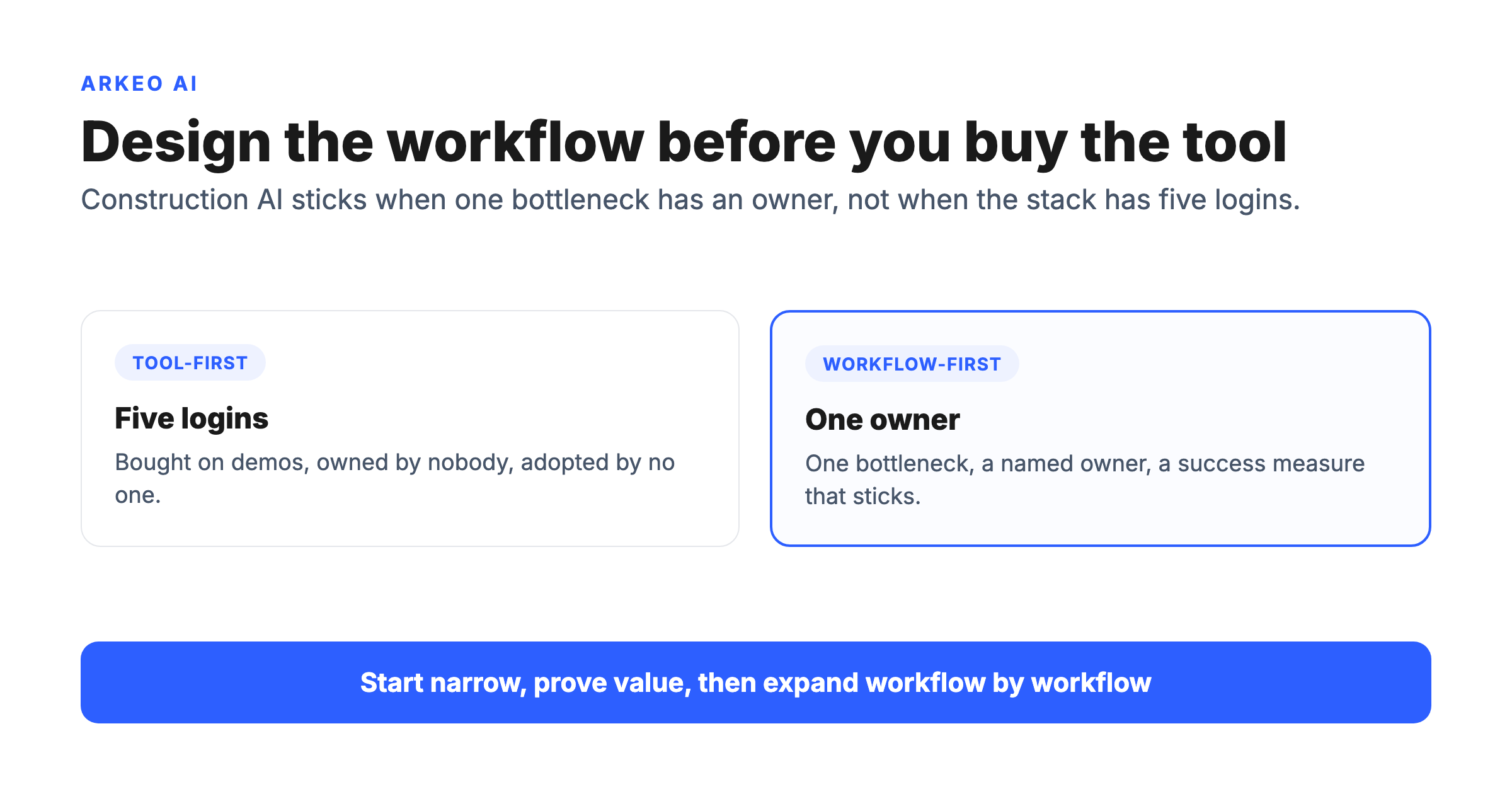
A sensible starting framework is simple: pick one real workflow problem, run a narrow pilot with a named owner and a clear success measure, keep a human reviewing the output, then expand workflow by workflow. That is the whole method. It is unglamorous, and it is the opposite of how most rollouts actually begin, which is by buying a platform and then hunting for a problem it might solve.
Tool-first thinking is the single most common way a construction AI effort dies quietly. Someone signs up for a product because a competitor mentioned it, the trial expires with nobody having changed how they work, and the conclusion becomes "AI is not ready for our industry." The technology was never the problem. The rollout had no anchor in a real workflow, no owner, and no measure of success, so there was nothing for adoption to attach to.
Starting from the workflow inverts that. You begin with a bottleneck your team already complains about, the RFI that sat unanswered for a week, the safety observation that never made it off a paper form, the schedule conflict nobody caught until a crew showed up to the wrong slab. Then you ask which of those a focused AI agent could relieve, with a person keeping the final call. The tool is the last decision, not the first.
Adoption matters more in construction than in most industries because the field has lagged so far behind on digitization. When the baseline is paper forms and email threads, the discipline of a careful rollout is what separates a tool that sticks from one more login nobody uses. The good news is that adoption itself is no longer the unusual choice. Stanford's HAI reported that 78% of organizations used AI in 2024, up from 55% the year before. The question is no longer whether to start. It is how to start well.
Which Construction Workflows Should You Test First?
The best first workflow is narrow, painful, and well-supplied with data the agent can actually use. Four families fit that description on most construction projects, and they are where AI returns the most value for the least effort and risk.
Documents are the easiest place to begin. Contracts, specs, daily reports, and meeting minutes are dense and slow to search by hand. An AI document tool turns that pile into something you can query and summarize, and off-the-shelf options can start delivering in days. Coordination is the next step up: drafting first-pass RFI responses from the contract documents and routing submittals to the right reviewer, so your engineers spend their time on judgment instead of sorting. Safety reporting turns a field photo and a short note into a structured, categorized, assigned record, with trend visibility so the same near-miss gets escalated instead of repeated. Schedule support surfaces conflicts a human scanning a Gantt chart will miss, like a trade stacked on another in the same area or a delivery that lands before the work that needs it.
Choosing among them is a ranking exercise, not a coin flip. Score each candidate on two axes, how easy it is to stand up given the data you already have, and how much impact relieving it would deliver. The table below is Arkeo's own framing from deploying these workflows, not a third-party benchmark. Use it to find the high-impact, low-effort starting point and to name who owns the result.
| First-use-case option | Ease to start | Impact | Natural owner |
|---|---|---|---|
| Document search and summary | High, data already exists | Medium, saves hours of hunting | Project engineer |
| RFI and submittal coordination | Medium, needs reviewer roles defined | High, protects the critical path | Project manager |
| Safety-observation reporting | Medium, needs field buy-in | High, fewer repeated near-misses | Safety lead |
| Schedule-conflict support | Lower, needs a clean schedule | High, early warning on slips | Scheduler or superintendent |
The point of the ranking is restraint. The workflow with the cleanest data and a willing owner usually beats the one that looks most impressive in a demo. Pick the high-confidence move, prove it, and earn the right to do the harder one next.
Find the one workflow worth automating first
The free AI Assessment maps your project bottlenecks and ranks the construction workflows where AI returns the most for the least effort, so you start narrow instead of buying a stack of tools.
Book Your Free AI Assessment →
What Should You Set Up Before Rollout?
Most construction AI pilots that stall do not fail in the demo. They fail in the gap between the demo and daily use, because nobody set up the conditions for adoption first. Four things have to be in place before a single user touches the tool, and the checklist below is the citation-worthy version of this section: print it, and do not start a pilot until every box is real.
Here is the blunt truth a vendor will not put in a brochure: the owner matters more than the tool. A mediocre tool with an accountable owner and a review step will outperform a brilliant tool that belongs to nobody, every time. The work in this section is organizational, not technical, which is exactly why it gets skipped, and exactly why skipping it is fatal.
How Do You Avoid the Common Rollout Mistakes?
The failure patterns are predictable, which means they are avoidable. Three of them account for nearly every construction AI rollout that goes nowhere.
Tool sprawl. Take a representative example, hypothetically: an operations lead buys three AI tools in one quarter, a document search product bolted onto Procore, a standalone safety app, and a scheduling add-on for Autodesk Construction Cloud, each because it demoed well. Twelve months later none of the three is past 20% weekly active use, because no workflow owner was ever named for any of them and no single bottleneck was the target. The spend was real; the change was zero. That is tool sprawl, and it is the most expensive version of tool-first thinking. The fix is the discipline this whole playbook is built on: design one workflow before you buy anything, and resist the urge to buy five tools before you have made one work.
No adoption plan. Standing up a tool is not the same as people using it. The observable signal is a login chart that spikes the week of training and flatlines within 30 days, because if the superintendent does not see the point, the safety-observation router becomes one more icon nobody taps on the way to the trailer. An adoption plan is mundane and necessary: who gets trained, who answers questions in week one, and what the team does the first time the output is wrong. Plan for the friction, because there will be friction.
Unclear accountability. The signal here is a specific sentence in a status meeting: "the AI got something wrong last month, so the crew quietly went back to the spreadsheet," and nobody in the room is on the hook to fix it. When something drifts and no named person owns it, the default response is to abandon the tool rather than correct it. Accountability is the named owner from the pre-rollout checklist, carried into daily operation. It is the difference between "the AI got it wrong, so we stopped using it" and "the owner caught the drift inside a week, adjusted the workflow, and kept it running." This is not a construction-only gap. IBM's Cost of a Data Breach 2025 found that 63% of organizations that experienced a breach had no AI governance policy or were still developing one, which is the same missing-owner problem at company scale: tools in use, but no one clearly accountable for them.
A common belief is that bigger budgets buy better outcomes here, that the firm spending the most on AI tools is the furthest ahead. That belief is wrong. The firm furthest ahead is usually the one that designed one workflow carefully and made it stick, not the one with the longest list of subscriptions. Discipline beats spend, and it is not close.
The reason this discipline pays off in construction specifically is the pressure the industry is under. The Associated General Contractors of America found that worker shortages caused project delays for 54% of firms. When you cannot simply add people, every hour an AI workflow gives back has to count, which is exactly why a scattered stack of half-used tools is worse than one workflow that works.
What Does a Sensible Rollout Path Look Like?
A rollout that survives contact with a real project follows a simple arc, and the steps are the same whether the first workflow is document search or RFI coordination. The flow below is the path from a single bottleneck to a working, owned workflow you can expand from.
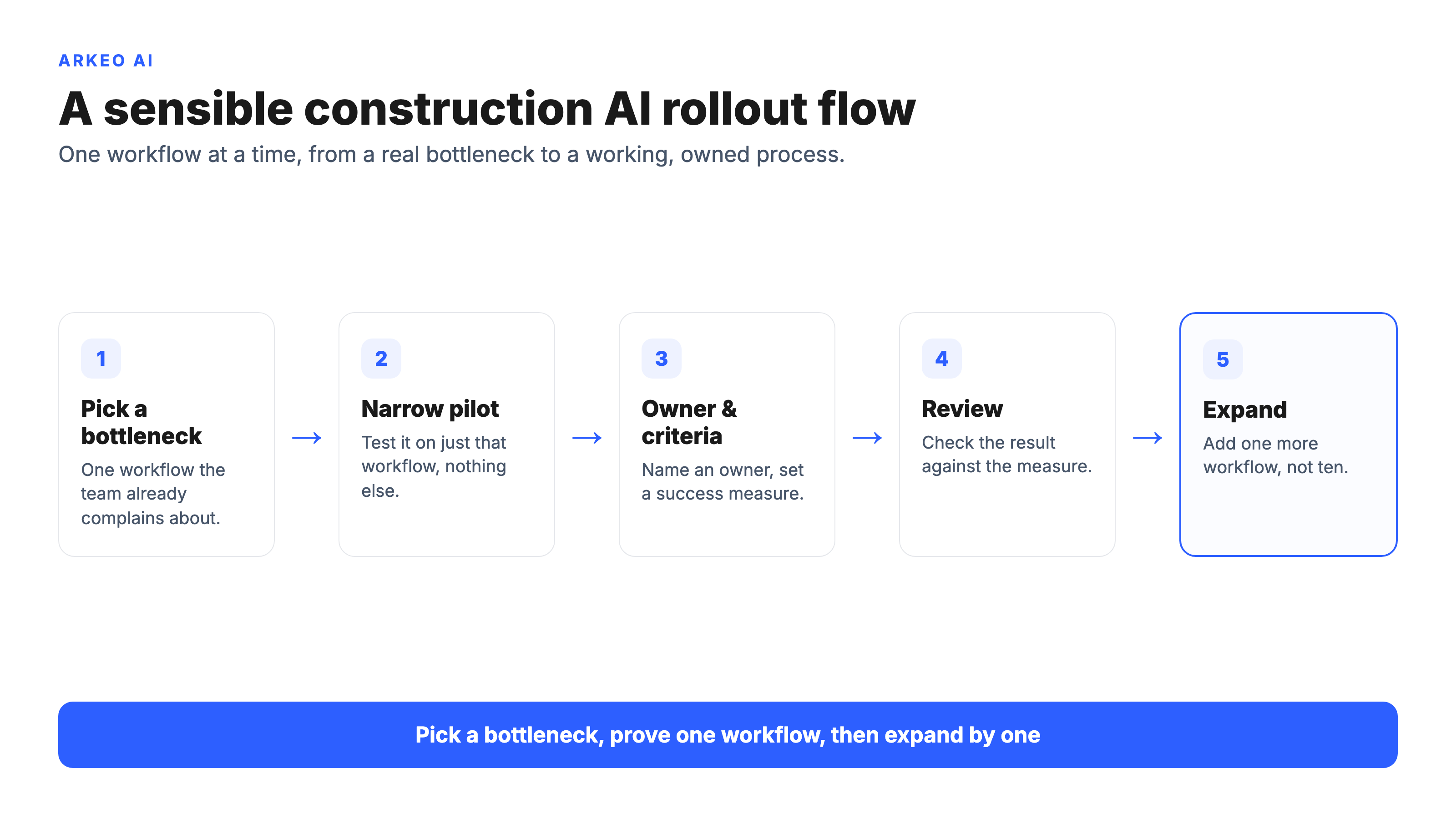
The arc starts by picking one bottleneck everyone already agrees is a problem, then standing up a narrow pilot on just that workflow. You name an owner and set a success measure before launch, run it for a contained window with a human reviewing every output, then review the result against the measure you set. Only then do you decide whether to expand, and if you do, you add one more workflow rather than ten. The cost and timeline reality is straightforward: a first narrow workflow is typically live in 30 to 90 days, off-the-shelf document tools can start in days for roughly $20 to $50 per user per month, and deeper custom builds run longer. Weigh either number against the cost of a single RFI that sits unanswered for a week, and the math usually stops being the hard part. The discipline is to resist buying five tools before designing one workflow.
This is the same operator lens used across the rest of the construction guidance here. For the broader picture of where AI fits across a project, start with the pillar guide on AI in construction. For the workflow families that most often become a first or second pilot, the deeper breakdowns on AI in construction management and AI in construction safety go workflow by workflow with the same playbook. The wider industry direction points the same way: the Deloitte 2025 Engineering and Construction Industry Outlook describes rising technology and AI uptake alongside mounting delivery pressure, the conditions under which a disciplined, narrow rollout pays for itself fastest.
Turn AI interest into a prioritized rollout plan
In 60 minutes the free AI Assessment ranks the construction workflows worth automating and gives you a phased rollout path with a named first pilot, with no obligation to buy a build after.
Book Your Free AI Assessment →





