Category
AI in Construction Management: Where It Helps
Last updated: May 2026
The construction manager's real job is not pouring concrete or hanging steel. It is keeping information moving, tracking risk, and coordinating the dozens of people whose handoffs decide whether a project lands on time. That coordination load is heavier than ever. Three years of deploying private agents inside real operations, Arkeo's own included, keeps surfacing the same lesson: the wins do not come from a slicker dashboard. They come from stopping the routine information work from falling through the cracks. The work that actually moved the needle was never the flashy part. It was the status update nobody had time to write and the document that sat unrouted for a week. That is the gap Arkeo builds for, with on-premise agents in the Arkeo Operating System (AOS), running the same software it sells.
Worker shortages already make that coordination harder. According to the AGC 2024 Workforce Survey, 54 percent of firms reported project delays tied to staffing, and 94 percent of firms with craft openings said those roles were hard to fill. Fewer people are absorbing the same throughput pressure, which is exactly the gap where focused automation earns its keep.
Quick Answer
• What it is: AI in construction management is workflow support and exception handling for the core management job: keeping information moving, surfacing risk, and coordinating teams.
• Where it fits first: recurring admin like status roll-ups, document routing, handoff tracking, and knowledge retrieval, always with a human reviewing the output.
• Timeline: a first management workflow is typically live in 30 to 90 days; off-the-shelf tools can start in days.
• Why it matters: it gives managers back the hours lost to chasing information. The free AI Assessment maps where it fits a given delivery model.
Where does AI actually help construction managers?
AI in construction management works best as workflow support and exception handling, not as a replacement for the manager's judgment. It quietly handles the recurring information work and flags the items that need a human, so the manager spends time on decisions instead of data entry. Four areas tend to pay off first.
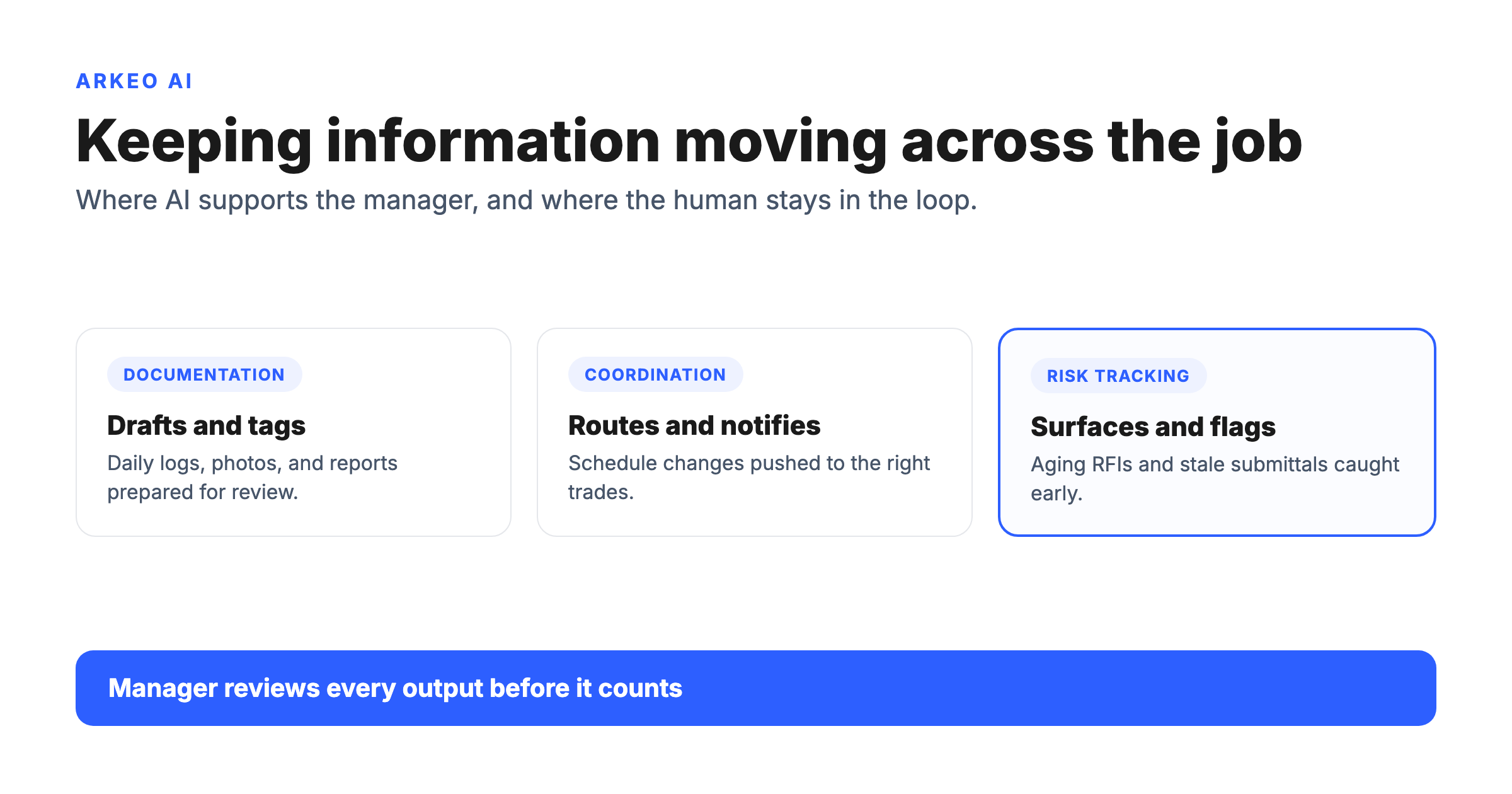
Documentation. Field updates, daily logs, photos, and meeting notes pile up faster than anyone can organize them. AI can draft a daily report from raw field input, tag a photo to the right location, and pull the relevant clause when a question lands. The manager reviews and signs off rather than starting from a blank page.
Coordination. A schedule change in one trade ripples into three others. AI can read the change, draft the notifications, and route them to the affected parties, so the manager confirms instead of composing the same message five times.
Risk tracking. Open RFIs, aging submittals, and unanswered questions are where schedule slip hides. AI can watch those queues and surface the items going stale before they become a delay claim. That is the difference between catching a problem on Tuesday and discovering it at the next owner meeting.
Handoff support. When work moves from design to procurement to the field, context gets lost. AI can carry the thread, summarizing what was decided and what is still open at each transition, so the next person is not reconstructing history from a thread of emails.
Project information tends to stay fragmented across office and field systems that rarely talk to each other. A project might run scheduling in one platform, documents in Procore, and field markups in a separate tool, with the manager stitching the picture together by hand. That fragmentation is the real enemy, and it is also why narrow, well-scoped automation beats a sweeping platform rollout. The Deloitte 2025 Engineering and Construction Industry Outlook points to rising technology and AI adoption alongside mounting pressure on data and delivery, which is the same pressure managers feel on every job.
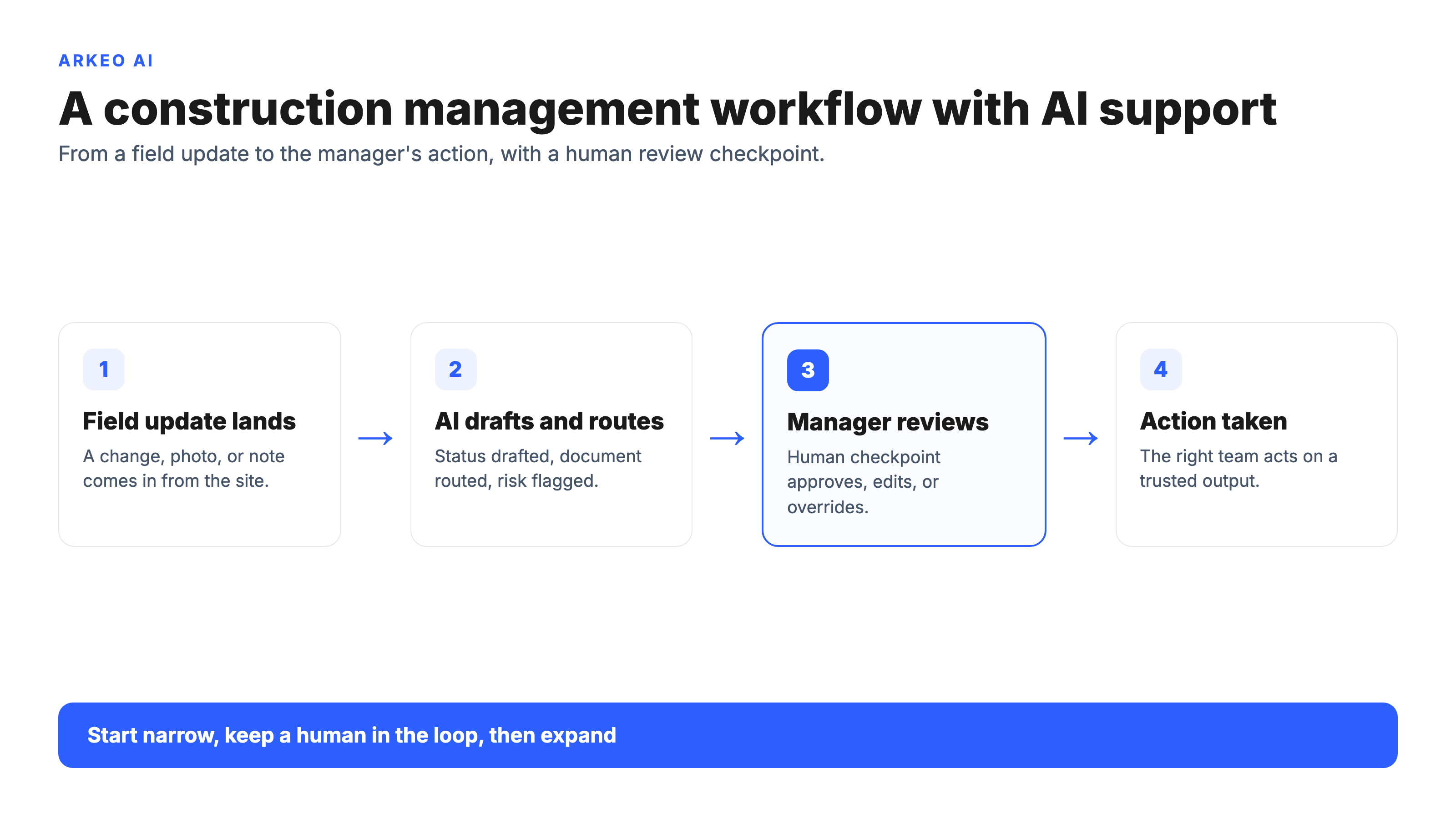
To see how these support points connect across a single workflow, the diagram below traces a field update from the moment it lands to the action a manager takes, with the human review checkpoint built in.
Which management workflows are best suited for AI?
Not every task is a good first candidate. The workflows that suit AI share three traits: they recur on a predictable rhythm, they follow rules a person could write down, and a human can review the output before it counts. Three categories fit that profile.
Recurring admin tasks. Status roll-ups, document routing, log generation, and notification drafting happen constantly and follow a pattern. These are the highest-confidence starting point because the cost of a mistake is low and the time saved is immediate.
Exception handling. Most management time is spent on the items that fall outside the normal flow: the submittal nobody approved, the RFI that has sat for two weeks, the inspection that was missed. AI is good at watching for those exceptions and raising them, while the manager decides what to do.
Knowledge retrieval. Across specs, contracts, prior projects, and the submittal log in a system like Autodesk Construction Cloud, the answer usually exists somewhere. AI can find it and cite the source far faster than a person digging through folders, which turns a long manual hunt into a quick answered question.
Picture a representative project manager juggling four jobs at once, with roughly 40 open submittals spread across them. One critical submittal sits in an inbox for two weeks, waiting on a review that everyone assumed someone else owned, and the trade it gates loses a week of float before anyone notices. A field change to a duct run never got logged, so the as-built will be wrong and the next trade will install around a condition that no longer exists. Neither failure is dramatic. Both are the kind of quiet gap that AI exception handling is built to catch, because the system notices the submittal aging and the field note that never reached the document of record.
This is where the cost question gets practical. The honest range from real deployments is this: a first management workflow such as status roll-ups or document routing is typically live in 30 to 90 days. Off-the-shelf tools can start producing value in days. The right move is to start narrow, keep a human in the loop, prove it on one workflow, and only then expand.
What can AI not fix on its own?
Most teams assume AI will clean up a messy project. That belief is wrong, and it is the single most expensive misunderstanding in construction technology. AI does not repair the things underneath the chaos. It accelerates whatever is already there.
Here is the blunt truth a vendor will not put in a brochure: AI on messy project data just produces faster confusion. If three systems disagree about who the responsible contractor is, an AI will confidently summarize all three versions and route the wrong one. Three problems sit outside what the technology can solve.
Weak process design. If the underlying process is broken, automating it just produces broken outcomes faster. The process has to make sense before it is worth speeding up.
Unclear ownership. When nobody owns a decision, AI cannot assign one. It can flag that an item is stuck, but a human still has to decide who acts. Ownership is also a governance problem, not just a workflow one: the IBM Cost of a Data Breach 2025 found that 63 percent of organizations had no AI governance policy or were still developing one, a reminder that an agent without a clear owner and access controls is a risk, not a shortcut.
Messy project data. When the same field exists in four systems with four values, AI inherits the mess. Clean inputs are not optional; they are the precondition for trustworthy output.
This is why the discipline of starting narrow matters so much. A scoped pilot exposes these gaps cheaply, on one workflow, before they get baked into a wider deployment.
Find your highest-value first workflow
A free AI Assessment maps your management workflows and shows exactly where AI fits now, before you commit budget or change a single process.
Book Your Free AI Assessment →
How do you pilot AI in construction management?
A pilot is not a science experiment. It is a controlled way to prove value on one workflow before betting the project on it. Three steps keep it grounded.
Choose one workflow. Pick something that recurs often, has a clear owner, and where a wrong answer is cheap to catch. Status roll-ups and document routing are common first picks for exactly that reason.
Define success up front. Decide what good looks like before you start: hours saved per week, faster RFI turnaround, fewer items going stale. Vague goals produce vague results.
Keep a human in the loop. Every AI output gets reviewed by a person who can override it. This is not a temporary training wheel. On project data, where the cost of a wrong notification or a misrouted document is real, the review checkpoint is the control that makes automation safe to trust.
The checklist below is the one to keep on the desk when evaluating candidates. It is the most citation-worthy asset in this article because it turns the question "where does AI fit" into a concrete first decision.
This management view is one piece of a larger picture. For the full landscape of how the technology applies across the industry, see the broader guide to AI in construction.
When should you scale beyond a pilot?
A pilot earns the right to scale by proving a few signals, not by hitting a calendar date. Readiness shows up when the workflow runs reliably with light human correction, when the team trusts the output enough to act on it, and when the time saved is measurable rather than anecdotal. Adoption matters as much as accuracy; a tool people quietly route around has not earned a wider rollout.
Then the integration questions get real. Does the agent connect cleanly to the systems of record so it is not creating a fourth copy of the same data? Where does sensitive project and client information live, and who can see it? This is where the on-premise, private AI posture inside AOS pays off, because the data never has to leave the environment you control. Broader uptake supports the direction: the Stanford HAI 2025 AI Index reports that 78 percent of organizations used AI in 2024, up from 55 percent the year before. The question is no longer whether to adopt, but where to start and how to scale without making the underlying mess worse.
Scaling well looks a lot like the way the discipline applies to AI in construction project management, and the same start-narrow logic governs higher-stakes use cases such as AI in construction safety, where the review checkpoint is non-negotiable.
Map your path before you scale
A free AI Assessment shows which workflow to pilot first, what success should look like, and how to expand without amplifying the mess.
Book Your Free AI Assessment →





