Category
AI in Construction: A Practical Guide
Last updated: May 2026
Your project teams are buried in coordination work. RFIs and submittals stack up, schedule conflicts surface late, safety observations get logged on paper and lost, and the answer to a simple question lives in someone's inbox. Arkeo AI was founded in 2023 on 25 years of running real businesses, and the company has spent three years deploying AI agents inside real operations, including its own through the Arkeo Operating System. The pattern across construction is consistent: the wins are not in robots or smart cities, they sit inside the coordination, safety, scheduling, and document workflows your teams already run every day. Arkeo uses what it sells, and runs those agents on its own on-premise, private-AI infrastructure rather than handing your project data to a public cloud. That operator vantage is the whole point of this guide.
Quick Answer
• What it is: workflow support across project coordination, safety, scheduling, and documents, with a human reviewing the output, not autonomous machines.
• Where it helps: triaging RFIs and submittals, surfacing schedule conflicts, routing safety observations, and retrieving project knowledge fast.
• Timeline: a first workflow is typically live in 30 to 90 days; off-the-shelf document tools can start in days.
• Why it matters: labor and coordination pressure is squeezing margins, and AI relieves it inside workflows you already run.
• Where to start: map your bottlenecks first with the free AI Assessment, then automate one workflow before expanding.
What Does AI in Construction Actually Mean?
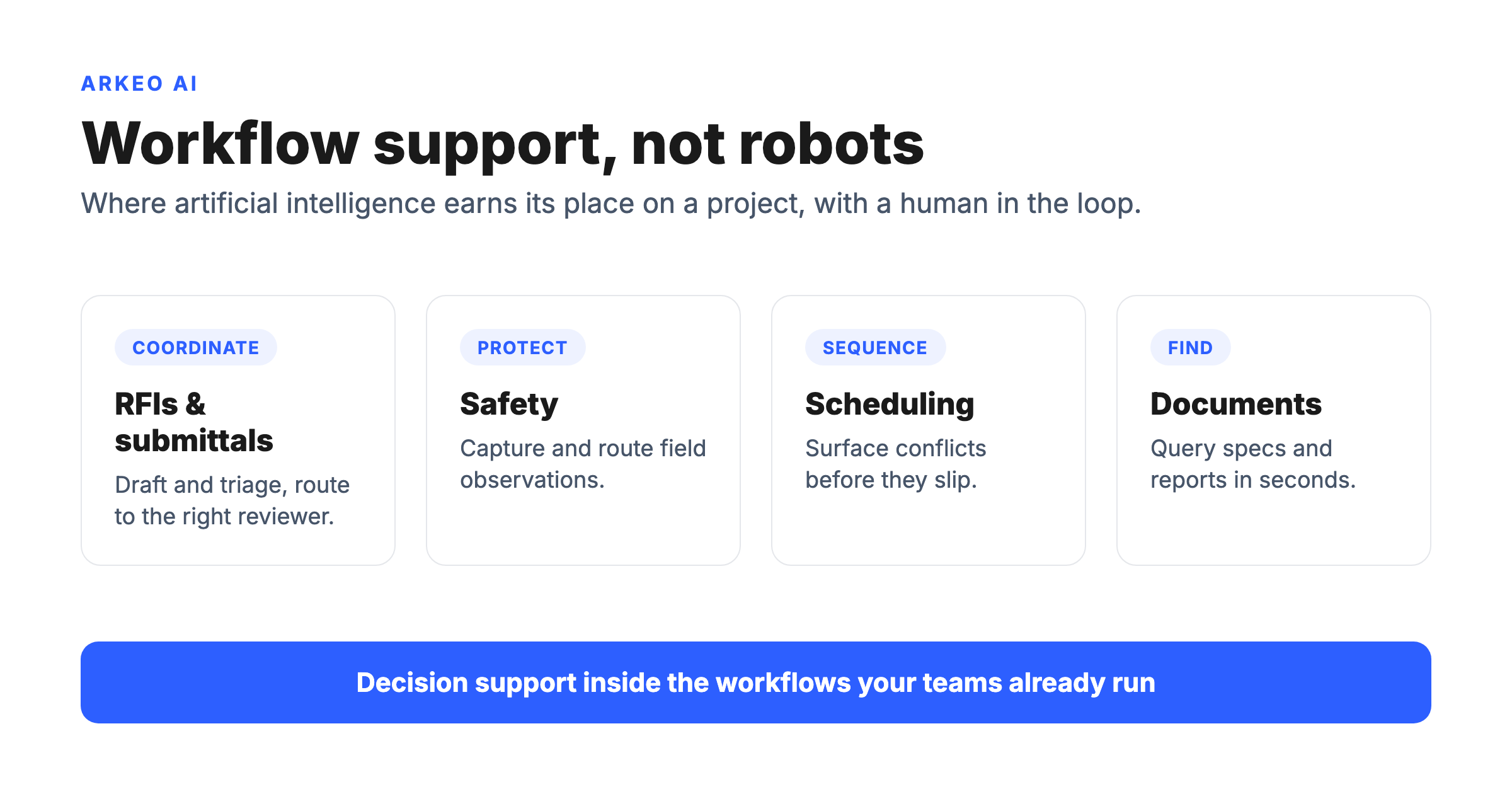
AI in construction is workflow support across project coordination, safety, scheduling, and documentation, with a human in the loop, not robots or autonomous job sites. The useful version is decision support: software that drafts and triages RFIs and submittals, flags schedule conflicts before they slip, captures and routes safety observations, and retrieves the right project knowledge in seconds instead of hours. It works alongside your project engineers and superintendents, not in place of them.
That framing matters because the popular one is wrong. AI in construction means robots. It does not. The headline version, autonomous equipment grading a site and bricklaying machines, is a sliver of the field and a distraction from where the money actually leaks. The leaks are administrative and informational: the hours spent chasing approvals, reconciling versions of a schedule, hunting for a spec, and re-keying the same data into three systems. That is the work artificial intelligence in construction is genuinely good at today.
The reason this is worth your attention now is that adoption has become the norm rather than the exception. Stanford's HAI reported that 78% of organizations used AI in 2024, up from 55% the year before, across industries (Stanford HAI 2025 AI Index). Construction has historically trailed. The industry has lagged most others in digitization, and on many projects productivity has barely moved in decades while the paperwork around the work has only grown. The gap between how digitized the work could be and how digitized it is, is exactly the gap a focused AI rollout closes.
Why Is It More About Workflow Coordination Than Hype?
Construction does not have an intelligence problem. It has a coordination problem. Information arrives late, in the wrong format, to the wrong person, and decisions wait on it. The labor squeeze makes this worse: the Associated General Contractors of America found that 94% of firms with open craft positions reported difficulty filling them, and worker shortages delayed projects for 54% of firms (AGC 2024 Workforce Survey). When you cannot add people, the only way to protect capacity is to take coordination drag off the people you have.
That is where AI fits, and why a project-delivery lens beats a technology forecast. The broader industry direction points the same way: the Deloitte 2025 Engineering and Construction Industry Outlook describes rising technology and AI uptake alongside mounting data and delivery pressure, the conditions under which workflow automation pays for itself fastest. The opportunity is not a moonshot. It is reclaiming the hours your teams lose to administrative friction.
Picture a regional general contractor running three mid-size commercial jobs at once, each in the $15 to $40 million range, with a single project team stretched across all of them. RFIs are buried in email threads, so a structural question sits unanswered for a week because nobody owned routing it. A schedule update arrived three days late, which means a subcontractor showed up to a slab that was not poured. A safety observation got logged on a paper form in a truck and never made it into the system, so the same near-miss repeated on the next floor. None of those failures needed a robot. Every one of them needed faster, more reliable handling of information that already existed. That is the construction AI opportunity in one picture.
Where Does AI Create the Most Value in Construction?
The highest-value use cases cluster in four workflow families. Each one is a place where information moves slowly today and an AI agent can move it faster while a human keeps the final call.
Project management and coordination. RFI and submittal triage is the clearest win. An agent can draft a first-pass RFI response from the contract documents, route submittals to the right reviewer, and flag the ones that touch the critical path, so your project engineers spend their time on judgment calls instead of sorting. Project knowledge retrieval belongs here too: ask a question in plain language and get the relevant spec section, drawing, or prior decision back in seconds.
Safety. A safety-observation router turns a photo and a short note from the field into a structured, categorized, assigned record, instead of a paper form that dies in a truck. The value is not the logging, it is the routing and the trend visibility: the same hazard flagged twice gets escalated instead of repeated.
Scheduling. AI is good at surfacing conflicts a human scanning a Gantt chart will miss, like a trade stacked on top of another in the same area, or a delivery that lands before the work that needs it. It does not replace the scheduler. It gives the scheduler a faster early-warning system.
Document workflows. Contracts, specs, daily reports, and meeting minutes are dense and searchable only with effort. AI turns that pile into something you can query, summarize, and cross-check, which is where off-the-shelf tools can start delivering value in days rather than months.
The table below is Arkeo's own framing of these use cases, drawn from deploying these workflows, not a third-party benchmark. Use it to see what data each one needs and where the human stays in the loop.
| Use case / workflow | Data it needs | Expected value | Human review |
|---|---|---|---|
| RFI and submittal triage | Contract documents, specs, prior RFIs, reviewer roles | Faster turnaround, fewer items lost in email, critical-path flags | Engineer approves every response before it is sent |
| Safety-observation routing | Field photos and notes, hazard categories, responsible parties | Structured records, trend visibility, faster escalation | Safety lead confirms category and corrective action |
| Schedule conflict detection | Current schedule, trade sequencing, delivery dates | Early warning on trade stacking and out-of-sequence work | Scheduler validates and resequences |
| Document search and summary | Contracts, specs, daily reports, meeting minutes | Plain-language answers, faster knowledge retrieval | User checks the cited source before acting |
Notice the pattern in that last column. Every one of these is decision support with a human keeping the final call. That is the responsible shape of artificial intelligence in construction today, and it is also the shape that survives an audit when something goes wrong on a job.
Find the one workflow worth automating first
The free AI Assessment maps your project bottlenecks and ranks the construction workflows where AI returns the most for the least effort, so you start narrow instead of boiling the ocean.
Book Your Free AI Assessment →
What Do Construction Teams Get Wrong?
The technology is rarely the reason a construction AI effort stalls. The reasons are operational, and they repeat.
Tool-first thinking. A team buys a platform because a competitor mentioned it, then goes looking for a problem it solves. That is backward. The workflow comes first, the tool last. Tool-first thinking is the single most common way a pilot dies quietly.
No workflow owner. If nobody on the project owns the RFI process or the safety-reporting process, automating it has no anchor. An agent needs a human owner who defines what good output looks like and is accountable when it drifts. Software without an owner becomes shelfware.
Bad source data. Here is the blunt truth a vendor will not put in a brochure: AI on messy source data just produces faster bad plans. If your specs are out of date, your schedule lives in three conflicting versions, and your daily reports are half-filled, an AI layer will confidently summarize the wrong thing. The fix is not a smarter model. It is cleaning up the inputs to the workflow you are automating, which is unglamorous and unavoidable.
Weak rollout discipline. Teams try to automate everything at once, or they pilot something interesting that nobody actually needed. Both fail. Disciplined rollout means one workflow, one owner, a clear measure of value, and a decision point before you expand.
How Do You Choose the First Construction AI Use Case?
The first use case decides whether the rest of the program lives or dies, so choose it on three criteria, not on what looks impressive.
Operational bottleneck. Start where the pain is real and measurable. If RFI turnaround is slow and visibly costing you, that is a candidate. If safety observations are getting lost, that is a candidate. Pick a workflow where everyone already agrees there is a problem, so the value is obvious when it improves.
Data availability. The workflow has to have data the agent can actually use. Document search works because the documents exist. A use case that depends on data nobody has captured cleanly is a project to fix the data first, not an AI project yet.
Buy-in and ownership. The people who run the workflow have to want the help and own the result. Field adoption is where good tools go to die: if the superintendent does not see the point, the safety-observation router becomes one more thing nobody touches. Pick a workflow with a willing owner.
Score your candidate workflows against those three, and the first move usually becomes obvious. The discipline is to resist doing the most exciting thing and do the highest-confidence thing instead. If you are not sure which workflow qualifies, the free AI Assessment can rank them for you. On timeline and cost, the operator reality is straightforward: a first construction AI workflow such as RFI triage or a safety-observation router is typically live in 30 to 90 days, off-the-shelf document tools can start delivering in days, and deeper custom builds run longer. The budget reality is just as plain. Off-the-shelf document and reporting tools commonly run about $20 to $50 per user per month, while a scoped custom workflow agent typically starts in the low five figures. Weigh either number against the cost of a single RFI that sits unanswered for a week, or a crew standing around waiting on a late approval, and the math usually stops being the hard part. Start narrow, prove value, then expand by workflow.
What Does a Practical Rollout Path Look Like?
A construction AI rollout that survives contact with a real project moves in three phases, each with a different goal. The roadmap below shows the arc from quick wins to durable process change.
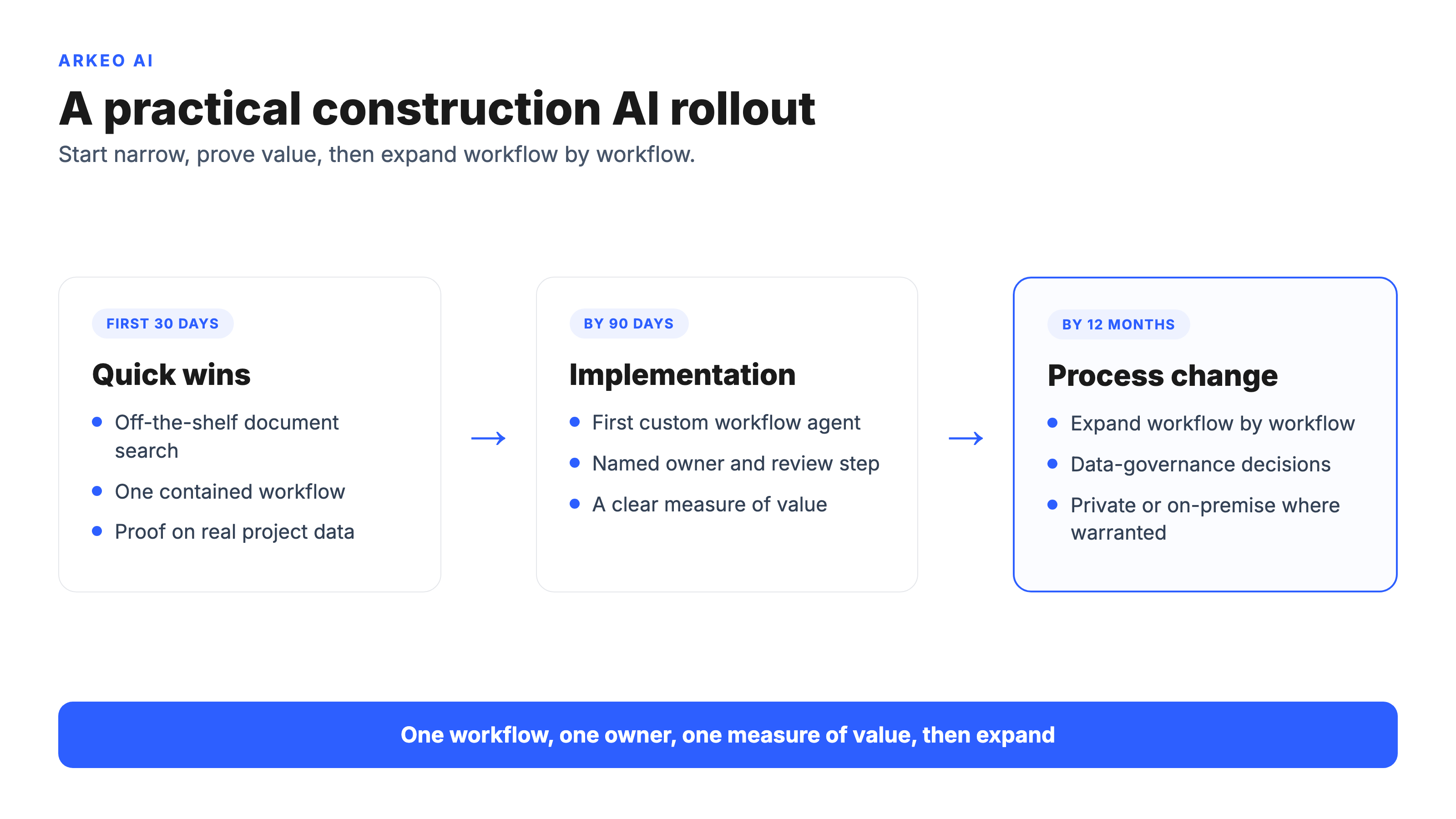
30-day wins. Start with off-the-shelf tools on a contained workflow, usually document search and summary, where the data already exists and the value shows up fast. The goal here is not transformation. It is proof, and a team that has seen AI do something useful with their own project data.
90-day implementation. Stand up the first custom workflow agent, the RFI triage router or the safety-observation router, with a named owner, a human-review step, and a clear measure of whether it is working. This is the phase that turns a demo into something the project actually relies on.
12-month process change. Expand workflow by workflow, and start treating the agents as part of how the company delivers projects rather than a side experiment. This is also where the data-governance and infrastructure decisions get real: where the agents run, who can see the project data, and whether a private, on-premise deployment is warranted because your contracts and client data should not sit in a public cloud. Arkeo runs its own operations this way, on the Arkeo Operating System, which is why the rollout advice here is grounded in what actually ships rather than what sounds good in a deck.
For a deeper look at specific workflow families, the breakdowns on AI in construction safety and AI in construction scheduling go workflow by workflow with the same operator lens used here. You can also start from the Arkeo homepage for the broader picture of how the pieces fit together.
Turn this into a plan for your next project
In 60 minutes the free AI Assessment gives you a prioritized list of construction workflows worth automating and a phased rollout path, with no obligation to buy a build after.
Book Your Free AI Assessment →





