Category
What Is On-Premise AI? The Business Owner's Guide
Right now, 68% of your employees are using AI tools you didn't approve, on accounts you don't control, with data you can't recover. That's not a projection. That's a Gartner finding from 2025. Your client contracts, financial models, and internal communications are being pasted into cloud AI services that train on whatever you give them.
On-premise AI is artificial intelligence that runs on hardware you own or control, inside your building or private data centre. Your data never leaves your network. It's the same capability as ChatGPT or Copilot, deployed on your terms.
This guide is written from the operator side. We run three companies on private AI infrastructure. Not as an experiment. As the operating system. What follows is what we've learned about who on-premise AI is actually for, what it costs, and what it delivers.
⚡ Quick Answer
- What it is: AI that runs on hardware you own or control. Your data never leaves your network.
- Why it matters: 68% of employees use unapproved AI tools with company data (Gartner). On-premise gives them AI that works, on infrastructure you control.
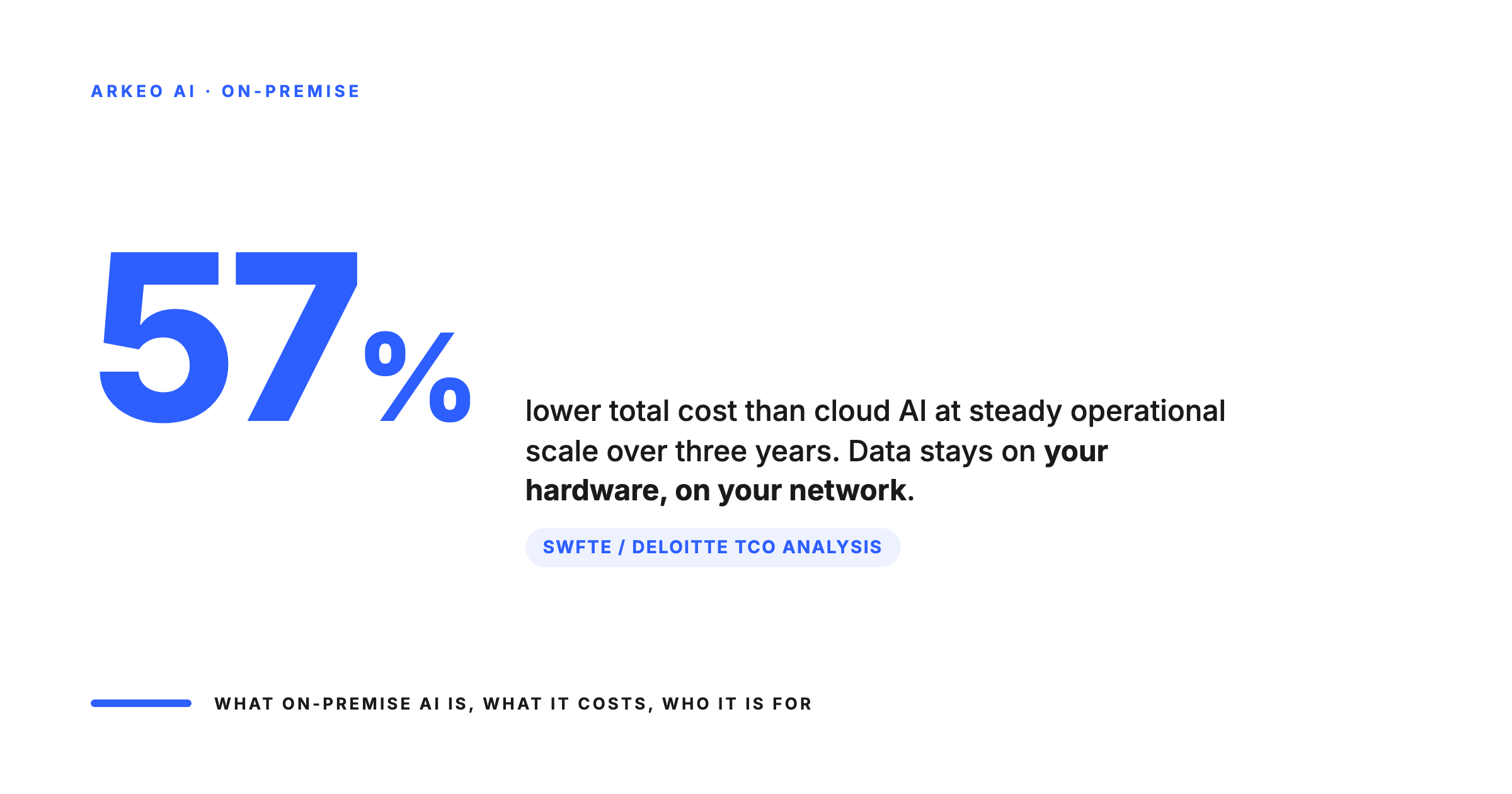
- Cost: $79,000-335,000 for production infrastructure. Saves 57% over cloud AI at scale over 3 years (Swfte/Deloitte TCO analysis).
- Real results: 75% reduction in admin overhead, 5x content output, 80% reduction in documentation time across three companies running on private infrastructure.
What Is On-Premise AI?
On-premise AI means your AI models, agents, and data pipelines run on servers you own. Unlike cloud AI services (OpenAI, Google, Microsoft), where your data travels to someone else's infrastructure for processing, on-premise keeps everything inside your network perimeter.
This isn't a new concept. Businesses ran software on their own servers for decades before the cloud era. What's new is that open-source AI models (Llama, Mistral, DeepSeek) now make it possible to run production-quality AI without paying per-token fees to a cloud provider.
The result: you get AI that works on your data, your processes, and your schedule, without your information ever touching an external server.
You'll hear several terms used interchangeably: private AI, on-prem AI, self-hosted AI, local AI. They all describe the same core idea: AI running on infrastructure you control. The specifics vary (a single workstation vs. a multi-GPU cluster), but the principle is the same: your data stays with you. For a detailed side-by-side cost and feature comparison, see our cloud AI vs on-premise AI analysis.
On-Premise AI vs Cloud AI: The Key Differences
- Data location: On-premise keeps data on your servers, in your building. Cloud sends it to the provider's data centres, often in another country.
- Cost structure: On-premise is an upfront hardware investment (CapEx) with lower ongoing costs. Cloud is pay-per-use (OpEx) that scales linearly with usage.
- Security and control: On-premise gives you full control over access, logging, and data handling. Cloud operates on a shared responsibility model where the provider controls the infrastructure.
- Scalability: On-premise means adding hardware as needed with fixed capacity at any point. Cloud is elastic, scaling up and down on demand.
- Customisation: On-premise allows full model fine-tuning, custom architectures, and any framework. Cloud limits you to the provider's API parameters and available models.
What separates on-premise AI from the cloud-rented model your team is using today
Same models underneath, very different operating envelope. The advantage shows up the moment you start running real production volume on it.
Infrastructure
AI runs on hardware you own or control. Inference happens inside your firewall, not on a vendor GPU pool.
Security
Drawings, contracts, prompts, and outputs never traverse the public internet. Compliance posture is provable.
Scalability
Capacity sized for steady operational use. No surprise per-token bills when usage doubles.
Customization
Full model fine-tuning on your data. Custom architectures and any framework, not vendor API parameters.
This isn't fringe thinking. An Enterprise Technology Research survey found that 32% of enterprises already use a private-cloud-only approach, 32% use cloud-only, and 36% use a hybrid of both.
Key Insight: On-premise AI isn't an alternative to cloud. For many businesses, it's the primary approach. The question isn't "cloud or on-premise?" It's "what's the right mix for my data and my workload?"
Why Businesses Are Moving to On-Premise AI
Three forces are driving the shift: data security concerns that aren't theoretical anymore, cost math that favours ownership at scale, and operational control that cloud vendors can't offer.
Data Security and the Shadow AI Problem
Your employees are already using AI. The question is whether you know about it.
A 2025 Menlo Security report found that 68% of employees use personal accounts to access free AI tools like ChatGPT, and 57% of them feed in sensitive company data. Over 73% of work-related ChatGPT queries happen on accounts the company never approved.
This is called shadow AI, and BlackFog named it the biggest data security threat of 2026.
Banning AI doesn't work. Your people need it because it makes them faster. The answer is giving them AI tools that actually work, on infrastructure you control, with data that never leaves your network.
That's the core promise of on-premise AI: stop fighting against AI adoption and start governing it.
Two ways your sensitive data is already leaving the building
The Cyberhaven 2025 read on enterprise AI use found that the people most likely to put confidential data into a public chatbot are the same people you trust to be careful with everything else.
of confidential and sensitive content that goes into public AI tools, goes into them through unsanctioned use.
of employees use AI tools via personal accounts rather than corporate-managed ones. IT has no logs, no visibility.
Cost Control at Scale
Cloud AI pricing is simple until it isn't. OpenAI charges roughly $20 per million tokens for GPT-4 Turbo. That sounds small until your team processes hundreds of millions of tokens per month across document analysis, customer communications, and operational workflows.
A 2026 TCO analysis by Swfte AI (referencing Deloitte research) found that on-premise infrastructure reaches 60-70% of equivalent cloud cost at scale. Over three years, a mid-size deployment saves roughly 57%: $1.43 million on-premise versus $3.34 million in cloud API fees for the same workload.
Be honest about what "at scale" means, though. Those numbers assume 10 billion tokens per month. Most mid-market companies process far less.
The $2,000 Rule: If your total company AI spend is under $1,000 per month, cloud is probably still cheaper. If you're consistently above $2,000 per month and growing, on-premise starts working in your favour.
The key variable is consistency. Steady, predictable workloads favour on-premise because your hardware runs at high utilization. Spiky or seasonal demand favours cloud because you only pay for what you use.
What a $79K to $335K on-premise rig actually costs over five years vs cloud at the same workload
The hardware question is not "is it cheaper than a $50 per month subscription?" It is "at the steady operational volume you will run for five years, where does the money go?"
Per-token billing at steady mid-market operational usage, compounding as workflows expand. No equity, no asset, no leverage.
Hardware + power + ops. Owned outright, depreciable, refreshes on your schedule. 57 percent less, all-in.
Operational Control
Beyond security and cost, on-premise AI gives you something cloud can't: independence.
- No vendor lock-in. Run open-source models on your own hardware. Switch models without changing providers. When a better model comes out (and they do, every few months), you deploy it without renegotiating a contract.
- No API rate limits. No pricing surprises. No service outages because a cloud provider in Virginia had a bad day. Your AI keeps running because it's on your network.
- Full customisation. Fine-tune models on your terminology, your processes, your historical data. A construction company's AI should know what a FLHA is. An oil and gas operator's AI should understand turnaround schedules. Cloud models speak generic. On-premise models speak your language.
If you've decided on-premise is right for your business, our step-by-step deployment guide covers the hardware, software stack, and realistic timeline.
Wondering If On-Premise AI Fits Your Business?
Book a free AI Assessment. We'll map your current AI usage and show you what on-premise could look like for your operation.
Is On-Premise AI Right for Your Business?
On-premise AI isn't for everyone. Here's an honest framework for deciding whether it's worth exploring.
On-premise makes sense if you have:
- Sensitive client data, financial information, or proprietary processes
- Consistent AI workloads (not one-off experiments)
- Regulatory or contractual requirements around data handling
- Monthly AI spend above $2,000 and growing
On-premise may NOT make sense if:
- Your AI usage is light and occasional (under $500/month)
- Your workloads are highly variable or seasonal
- You have no internal IT capability and no budget for a deployment partner
- You're still experimenting with AI and haven't found your core use cases yet
The Mid-Market Sweet Spot: 50 to 500 employees, $10M to $100M revenue, established business operations, consistent workflows that benefit from AI. If your company is spending $2,000 or more per month across various cloud AI tools and subscriptions, it's worth running the numbers on what on-premise would cost instead.
What Does On-Premise AI Deployment Actually Look Like?
Most business owners imagine on-premise AI requires a server room full of blinking lights and a team of data scientists. Modern deployments are more practical than that.
Hardware
GPU servers are the foundation of on-premise AI. The good news: you don't need the most expensive option.
For context: an NVIDIA A100 GPU (the workhorse of production AI) costs $10,000 to $15,000. An L40S (optimized for inference) runs $7,000 to $10,000. You don't need the $35,000 H100s that hyperscale data centres use. Most business AI workloads are inference (running trained models), not training (building models from scratch).
Three deployment sizes that match three realistic budget envelopes
You do not need hyperscaler hardware to run business AI workloads. Most production work is inference, not training. The right rig depends on the volume you actually run.
Pilot tier
Single inference rig in the $7K to $25K range. One workflow, one team, prove the loop works.
Mid-range
Production cluster for a single department or full mid-market firm. Handles steady daily volume.
Production scale
Multi-rig deployment across departments. Redundancy, monitoring, dedicated MLOps.
Software
Open-source AI models have fundamentally changed the economics. Models like Llama, Mistral, and DeepSeek are free to download and run. No per-token fees. No API subscriptions. No usage caps.
On top of the models, you need an orchestration layer: the software that manages how your AI agents work, what data they access, and how they interact with your business systems. Think of it as the operating system for your AI workforce.
You also need the same operational tools any critical business system requires: monitoring, logging, backup, and security. If you run a business-critical ERP or CRM today, the operational discipline is the same.
Team
You don't need a data science team. What you need:
- A deployment partner for the initial build (hardware selection, model deployment, integration with your systems)
- An internal champion who owns the AI strategy and can prioritize use cases
- Basic IT operations capability (the same team that manages your network can manage AI infrastructure)
For reference: we run three companies on private AI infrastructure with a two-person core team. The AI agents handle operations, content production, compliance documentation, CRM management, and cross-company coordination. The team's job is strategy, oversight, and the work that requires human judgment. And because we manage the entire system ongoing — monitoring, optimising, updating — there is no IT overhead for the businesses we serve.
Real Results: What On-Premise AI Delivers
Theory is easy. Here's what on-premise AI actually produces when deployed in production.
Multi-company operations: We deployed a private AI workforce across three companies (Safety Evolution, AddaPro Technologies, David Brennan Media), all running on the same on-premise infrastructure. The results: 75% reduction in administrative overhead, 5x content output, and three companies operating simultaneously with a two-person team. Zero cloud AI data exposure.
Safety compliance for oil and gas: Private AI handling document generation, training record tracking, compliance calendar management, and automated reporting across multiple client sites. Each client's data is fully isolated: competitors' information never crosses paths. The result: 80% reduction in documentation time and zero cross-client data contamination.
Autonomous AI workforce: Purpose-built AI agents running 24/7 on private infrastructure, executing multi-step workflows without human intervention: content production pipelines, sales intelligence gathering, operational coordination. Not chatbot interactions. Actual autonomous work.
Bottom Line: These aren't projections or vendor benchmarks. This is what's running in production, every day, since 2023.
If you want to understand what AI agents can do for your specific operations, read about what AI agents actually do for business operations.
What on-premise AI is actually delivering inside operating businesses
Not a vendor benchmark, not a slide-deck projection. These are the numbers Arkeo has seen running on our own infrastructure across the businesses we operate, every day, since 2023.
reduction in documentation time across operations and compliance workflows.
output multiplier on content and operational reporting workflows handled by agents.
lift in gross margin on the workflows where private AI carries the daily load.
Ready to See What On-Premise AI Could Do for Your Business?
Book a free AI Assessment. We'll review your current operations, identify where AI agents would create the most value, and show you what deployment would look like on your infrastructure.





