Category
AI in Construction Examples That Actually Work
Last updated: May 2026
You have read the headlines about AI in construction, but you still cannot picture it touching the work your team actually does every day: the RFI sitting unanswered for nine days, the safety observation buried in a superintendent's text thread, the schedule conflict nobody flagged until the concrete crew showed up. Generic claims do not help you decide anything. Specific examples, tied to real workflows, do. Arkeo AI was founded in 2023 on 25 years of operating businesses, and has spent the last three years deploying AI agents in production, including the agents that run Arkeo itself. We use what we sell, and we run those agents on private, on-premise infrastructure where the data demands it through the Arkeo Operating System (AOS). The examples below are framed the way operators think, not the way vendors pitch.
Quick Answer
• What it is: Concrete AI in construction examples, each tied to a real workflow with a trigger, an AI step, a human review point, and a business outcome.
• Where it lands: Three areas dominate, project coordination (RFIs, submittals, status updates), field and safety (observations, incident documentation, follow-up routing), and planning and delivery (schedule support, risk surfacing, knowledge retrieval).
• Where to start: A free AI assessment helps you pick the first example that fits your delivery process.
• Why it matters: A good example is not a feature demo, it shows exactly where a human stays in control and what the business gets back.
What makes a good AI in construction example?
A good construction AI example always names four things: the workflow trigger, the AI step, the human review point, and the business outcome. If any of the four is missing, it is a feature demo, not a usable example. The trigger is the real event that starts the work, an RFI is raised, a photo is taken, a spec question lands in someone's inbox. The AI step is the narrow task the agent does. The human review point is where a qualified person approves, edits, or rejects the output before it counts. The business outcome is the capacity, speed, or risk reduction you can actually measure.
This framing matters because construction does not fail for lack of effort. It fails on coordination. Labor shortages caused project delays for 54% of firms in the AGC 2024 Workforce Survey, which means the people you have are already stretched across more documentation than they can keep current. AI examples earn their place when they take the repetitive drafting and routing off your most expensive people, not when they promise to replace judgment.
Why does workflow context matter more than the tool?
Most construction leaders think the question is which AI tool to buy. They are wrong. The tool is the easy part. The hard part is whether the example fits a workflow you already run, with data the agent can actually reach and a reviewer who already owns the decision. An RFI assistant is worthless if your RFIs live in three different email chains and a binder. The same agent is valuable the moment it can read your contract documents, your prior responses, and your reviewer roles, whether those records already live in a system like Procore or Autodesk Construction Cloud or are still scattered across shared drives.
Here is the blunt truth a brochure will not print: AI agents break, and they break most often at the seams between systems, not inside the model. The drafting is rarely the problem. The integration, the permissions, and the human handoff are. Every example below is written around those seams, because that is where construction projects actually live.
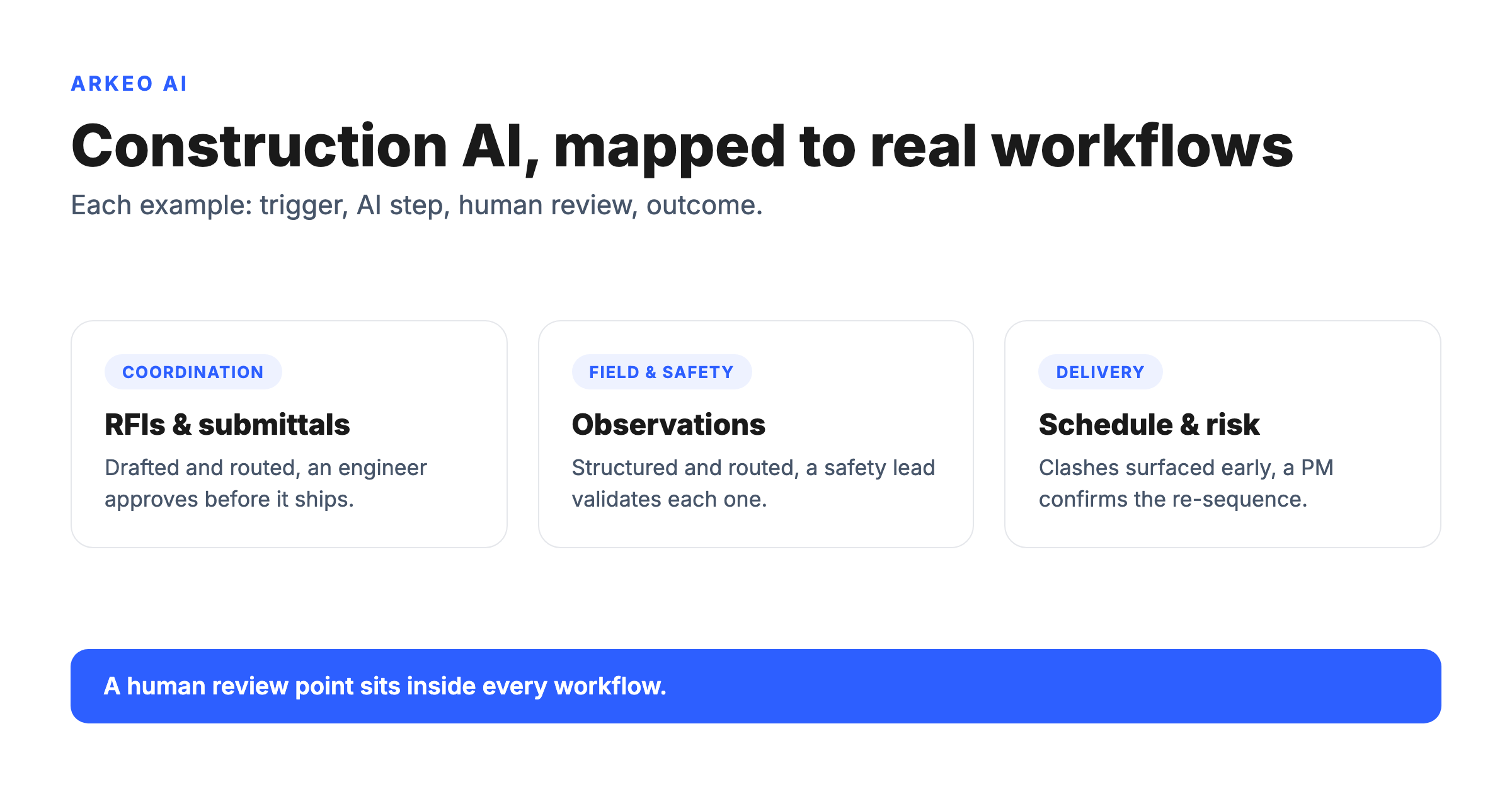
The examples cluster into three areas. The matrix below is the citation-worthy version, six real workflows, each with its trigger, AI step, review point, and outcome.
| Example | Team | Input / trigger | AI step | Human review | Outcome |
|---|---|---|---|---|---|
| RFI drafting | Project engineering | RFI raised against a drawing or spec section | Drafts a response from contract docs and prior RFIs, routes to reviewer | Engineer approves or edits before sending | Faster turnaround, fewer items lost in email |
| Submittal review | Project management | Submittal package received from a sub | Compares against spec, flags deviations and missing data | Reviewer confirms each flag before action | Fewer compliance misses, shorter review cycles |
| Safety observation routing | Field and safety | Photo and note logged from the field | Categorizes the hazard, drafts a structured record, routes to the owner | Safety lead validates category and assignment | Structured records, trend visibility, faster escalation |
| Incident documentation | Field and safety | Incident reported on site | Assembles a first-draft report from notes, photos, and the standard template | Superintendent and safety lead verify and sign off | Complete records, faster reporting, less rework |
| Schedule conflict surfacing | Planning and delivery | Schedule update or daily report posted | Cross-checks sequencing and dependencies, surfaces likely clashes | Project manager confirms and re-sequences | Earlier warning, fewer trade stack-ups and standby days |
| Spec and knowledge lookup | Whole project team | A question against a spec, submittal log, or past project | Retrieves the relevant clause or record with a citation to the source | The asker checks the cited source before acting | Less time hunting documents, fewer wrong assumptions |
See which examples fit your delivery process
A free AI assessment maps your real workflows, RFIs, submittals, safety, and scheduling, and identifies the first example worth piloting on your projects.
Book Your Free AI Assessment →
What are the strongest AI examples in project coordination?
Project coordination is where construction loses the most time to documentation that nobody enjoys producing. Three examples are worth knowing.
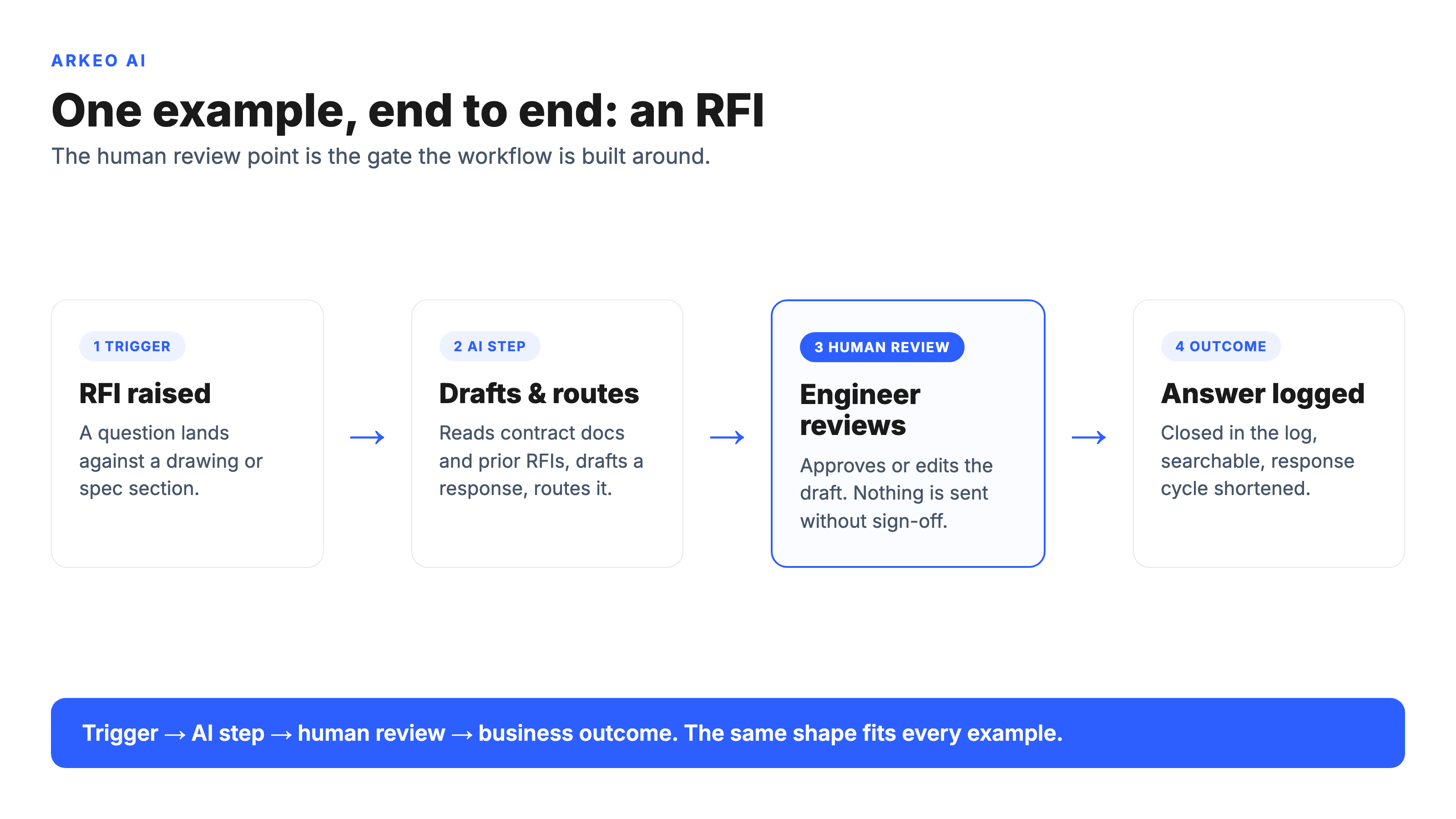
RFIs. An RFI is raised against a drawing detail. An AI agent reads the contract documents, the affected spec section, and the project's prior RFIs, then drafts a proposed response and routes it to the right engineer. The engineer reviews, edits, and approves before anything is sent. Nothing leaves the building without a qualified human signing it. The outcome is a shorter response cycle and far fewer RFIs that quietly age out in an inbox. As a representative pattern, an RFI cycle that typically ran 7 to 10 days can close in 1 to 2 once the drafting and routing are handled before the engineer ever opens it, because the reviewer starts from a complete draft instead of a blank page.
Submittals. A submittal package arrives from a subcontractor. The agent compares it against the governing spec, flags deviations and missing data, and hands the reviewer a checklist instead of a blank page. The reviewer confirms each flag. The value is fewer compliance misses and a review that takes hours instead of days.
Status updates. Daily reports and field notes are scattered across formats. An agent consolidates them into a clean status summary for the weekly owner meeting, with the project manager confirming accuracy before it is circulated. The point is not flashy, it is that your PM stops spending Sunday night assembling a report by hand.
How is AI used in field and safety workflows?
Field and safety work generates the most fragmented data on any project, and the highest stakes when it is lost. The hazards that drive most serious construction incidents are well documented in OSHA's construction safety guidance, and the common thread is that the right observation reached the right person too late, or not at all.
Observations. A superintendent photographs a missing guardrail and adds a one-line note. The agent categorizes the hazard, drafts a structured observation record, and routes it to the responsible party. The safety lead validates the category and assignment. The outcome is a real, searchable record instead of a photo lost in a phone, and trend visibility across the project.
Incident documentation. When an incident is reported, the agent assembles a first-draft report from the notes, photos, and your standard template, so the people involved are reviewing and correcting rather than typing from scratch. The superintendent and safety lead verify and sign off. The result is complete, consistent records produced fast, while the responsible humans stay accountable for every word.
Follow-up routing. Open safety items are the ones that quietly slip. An agent tracks each observation to closure, nudges the owner, and escalates when an item ages past its threshold. A person still decides what closed means. The example here is illustrative of a routing pattern, not a specific deployment, but the mechanic is the same one Arkeo runs in its own operations: agents chase the loose ends so people can focus on the calls that need judgment.
Where does AI help in planning and delivery?
Planning and delivery is where small misses compound into expensive ones. Three examples stand out.
Schedule support. When a schedule update or daily report is posted, an agent cross-checks sequencing and dependencies and surfaces the clashes a busy PM would catch a week too late. The PM confirms and re-sequences. The outcome is earlier warning and fewer trade stack-ups, which is exactly the coordination gap that turns a labor shortage into a delay. The deeper version of this is covered in the guide to AI in construction scheduling.
Risk surfacing. An agent reads across RFIs, submittals, and daily logs to flag patterns that signal emerging risk, a spec section generating repeated questions, a sub falling behind on responses. A human decides whether the pattern is real. This is monitoring that never sleeps, paired with judgment that does not get automated away.
Knowledge retrieval. Picture a project engineer who needs the answer a previous project already solved. Instead of asking three people and waiting, the engineer asks an agent that retrieves the relevant clause or record and cites its source. The engineer checks the citation before acting. The construction sector's appetite for exactly this kind of tooling shows up in the Deloitte 2025 Engineering and Construction Industry Outlook, which tracks rising technology and AI investment across the sector.
One example walks the whole path end to end below: an RFI raised, drafted and routed by an agent, reviewed by an engineer, and logged as a closed answer. Notice that the human review point is not a footnote, it is the gate the whole workflow is built around.
How do you decide which AI example to test first?
You do not pilot all of these at once. You pick by two factors: ease and impact. Ease means the data already exists in a place an agent can reach and a reviewer already owns the decision. Impact means the workflow is high-volume or high-cost enough that taking the drafting off your people changes your week.
The easiest examples, document drafting and observation routing, are typically live within 30 to 90 days, because the data is already there and the human review point is obvious. Schedule and risk work usually takes longer, because it depends on cleaner integrations across systems. Pick by ease and impact, start where the data is ready, and let the early win fund the harder ones. That sequencing, current state first, then 30-to-90-day wins, then deeper agents, is how Arkeo runs every engagement.
Adoption is not the constraint it was. Organizational AI use reached 78% of organizations in 2024 per the Stanford HAI AI Index. The construction-specific question is no longer whether to use AI, it is which example to make real first, on which workflow, with which reviewer in the loop. For the full landscape of where these examples fit, see the pillar guide to AI in construction, and for the safety-specific patterns, the deep dive on AI in construction safety.
Pick your first construction AI example
The free AI assessment reviews your current workflows and pinpoints the example that is easiest to pilot and highest in impact, with the human review point built in.
Book Your Free AI Assessment →





