Category
Your Team Is Already Using AI With Your Company Data. Here Is What That Means.
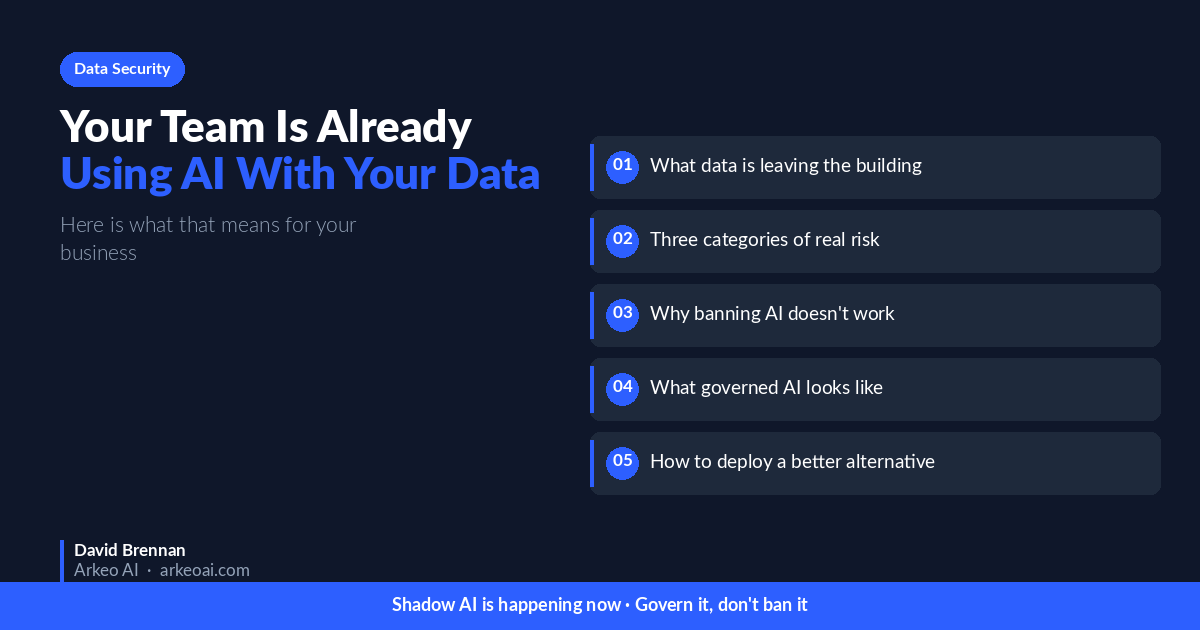
Most business owners already know their team uses AI tools. What they have not done is map what data is actually leaving the building.
This article does that mapping. It describes what shadow AI looks like in practice, what data is actually moving through cloud AI systems, what the consequences of that exposure are, and what a business can do about it without banning tools that are genuinely making people more productive.
Quick Answer
- Shadow AI: AI tools used by employees without official approval or governance. Common, productive, and ungoverned.
- What is at risk: Client data, pricing models, proprietary processes, compliance-sensitive information.
- The policy problem: Banning AI use does not work. Employees use it anyway, with better tools, and with less caution.
- The governance solution: A private AI system your team actually uses, configured to handle sensitive workflows, with an audit trail.
What Shadow AI Actually Looks Like
Shadow AI is not a uniform phenomenon. It is a collection of individual decisions, each one small, adding up to a significant aggregate exposure.
The sales rep who pastes a client's project brief into ChatGPT to generate a proposal. The operations manager who feeds KPI data into an AI tool to prepare a board presentation. The estimator who copies a detailed scope of work into Claude to draft a subcontractor contract. The HR manager who pastes performance review notes into an AI to produce a formatted evaluation.
None of these people believe they are doing anything wrong. In each case, they are using the best available tool to do their job more efficiently. The problem is not intent. The problem is that no one is tracking what data just moved through systems owned by OpenAI, Microsoft, Anthropic, or Google.
The 2026 Salesforce State of IT report found that 55% of employees use non-approved AI tools regularly. The NTT DATA Enterprise AI study found that 95% of enterprises say private AI is important to their business, but only 29% have a concrete plan for it. The Gartner figure that 76% of AI experiments never reach production refers to formal initiatives — the informal adoption is already running ahead of policy in most businesses.
What Data Is Actually Leaving Your Business
The exposure varies by role and workflow, but the categories are consistent across industries.
Sales and client data: Proposals, client briefs, account details, CRM exports, competitive pricing, deal structures. This data goes into AI tools constantly because sales teams are early, heavy adopters of AI for writing and research.
Operational information: SOPs, project documentation, budget reports, KPI analysis, management reports. Operations teams use AI for summarising, drafting, and analysis. The inputs to those tasks are often internally sensitive.
Financial data: Expense reports, budget variance analyses, invoice data, financial projections. Finance teams are increasingly using AI for formatting, summarising, and preparing board-ready outputs. The underlying numbers are often confidential.
HR and people data: Performance reviews, compensation discussions, organisational planning documents. HR teams use AI for drafting and editing sensitive communications. The content of those communications can include personal information and employment decisions.
Legal and compliance: Contract terms, compliance documentation, incident reports, regulatory filings. Legal and compliance teams use AI to work faster on documents that often carry privilege or regulatory sensitivity.
Not all of this is equally sensitive. The point is not to generate alarm about AI use in general. The point is that most businesses do not have a clear picture of what categories of data are moving through which systems, and without that picture, governance decisions are made blind.
Map Your AI Data Exposure
The AI Capacity Assessment identifies which of your workflows carry the highest data sensitivity and gives you a specific recommendation. Free, 30 minutes, no obligation.
Why Banning AI Tools Does Not Work
Some businesses have tried to address shadow AI with a blanket policy: no AI tools, full stop. This does not work, for a straightforward reason.
Employees who have experienced the productivity benefit of AI tools do not stop using them when a policy tells them to. They use them more carefully, with personal accounts, on personal devices, in ways that are harder to see and govern. The ban does not reduce the data exposure. It reduces the visibility of the exposure.
The better frame is not control of tool access but governance of data flow. The goal is not to prevent employees from using AI. It is to give them an AI tool that is better than the consumer alternatives — configured for their specific work, integrated with their existing systems, and running on infrastructure that keeps data in-house. When you give people a better tool, most of them use the better tool.
The Governance Problem in Practical Terms
Shadow AI creates two distinct problems that are worth separating.
The data exposure problem. Data leaves your environment through cloud AI systems. Depending on the tool and the account type, it may be retained, reviewed, or used to improve the model. The terms of service are not written for your benefit. The exposure is real whether or not it produces visible harm today.
The audit trail problem. When AI is ungoverned, there is no record of what went in or what came out. If a compliance question arises, or a data breach occurs, or a client asks whether their information was processed through a third-party AI system, there is no audit trail to consult. The absence of logging is not a minor inconvenience. In regulated industries, it can create significant liability.
A private AI deployment addresses both problems. Data stays in your environment. The system logs what goes in, what comes out, and who requested it. Approval workflows can be configured for sensitive operations. The audit trail exists because the system was designed with it.
What the Construction Industry Example Shows
One of Arkeo's construction clients came to us with a specific concern: their estimating team had started using consumer AI tools to draft proposals. The proposals contained subcontractor pricing, job-cost margins, and client-specific scope details. The tools being used were consumer versions of mainstream AI products, with standard data handling terms.
The solution was not to ban AI. The estimating team was more productive with AI support, and removing it would have hurt their competitive position. The solution was to deploy a private AI system on the client's own infrastructure, configured specifically for estimating and proposal work. The same workflows, the same productivity benefits, with data processing on their servers rather than a third party's.
The result was a 75% reduction in administrative overhead across three companies, with zero cloud data exposure. The team uses the system daily. The data stays local. The audit trail exists.
What to Do About It
The practical response to shadow AI in your business is a three-step process.
Step 1: Map the exposure. Identify which teams are using AI tools, for which workflows, and what data those workflows involve. This does not require a formal audit. A direct conversation with department heads about how their team uses AI will surface most of it. The goal is a clear picture of what data categories are moving through which systems.
Step 2: Assess the risk. Not all shadow AI carries the same risk. Marketing teams using AI to draft public content have minimal exposure. Sales teams processing client pricing data through consumer AI tools have significant exposure. Rank the workflows by data sensitivity and likely volume.
Step 3: Give people a better governed alternative. A private AI system configured for your highest-sensitivity workflows removes the incentive for ungoverned shadow AI on those workflows. It is faster, better configured for your specific work, and keeps data in-house. Employees who have a better option generally take it.
If you want help with steps 1 and 2, that is what the AI Capacity Assessment is designed to do. It takes 30 minutes and produces a specific recommendation, not a generic one.
Get a Clear Picture of Your AI Exposure
The AI Capacity Assessment maps your current AI use, identifies the highest-risk workflows, and gives you a specific recommendation. Free, 30 minutes, no obligation.
Frequently Asked Questions
What is shadow AI?
AI tools used by employees without official approval or governance. Common examples include employees using personal ChatGPT accounts for work tasks, using consumer AI tools with company data, or using AI features embedded in software without awareness that data is being processed externally.
How common is shadow AI in mid-market businesses?
Very common. The 2026 Salesforce State of IT report found 55% of employees use non-approved AI tools regularly. In businesses that have not deployed a governed AI solution, it is reasonable to assume meaningful shadow AI use is already present.
Does an enterprise plan for ChatGPT or Copilot solve the data problem?
It reduces some risk. Enterprise plans typically include better data handling terms (data not used for training, audit log options). They do not eliminate the fundamental issue that data is processed on the vendor's infrastructure, under terms the vendor controls. For regulated data or proprietary IP, enterprise cloud plans are better than consumer plans but not equivalent to private deployment.
What if my team refuses to stop using their preferred AI tools?
Expect this. The practical solution is giving them a better alternative, not enforcing restrictions on tools that make them more productive. A private AI system configured for their specific work, integrated with their existing systems, and running faster on familiar workflows will be adopted because it is better, not because it is mandated.
What data does shadow AI typically expose?
The highest-risk categories are client data, proprietary pricing and process information, financial projections, HR and personnel information, and compliance-sensitive documentation. The actual exposure depends on what workflows employees are using AI for in your specific business.
How does a private AI system create an audit trail?
A private AI system running on your infrastructure can log inputs, outputs, and user actions. Arkeo's Connected and Orchestrated tiers include audit logging as part of the deployment. The log lives on your infrastructure and is accessible to you for compliance and governance purposes.
Your team is already using AI with your company data. The question is not whether to address that — it is how. Banning tools does not work. Giving people a better, governed alternative does. If you want to know what that looks like for your specific business, start with the AI Capacity Assessment.





