Category
AI Audit Tools: What to Look For
Last updated: June 2026
If you are a CEO, COO, or technical leader at a $10M to $200M company being told to vet AI audit tools before the next budget cycle, the trap waiting for you is buying a $50K-a-year scanner that produces a 200-page report nobody on your team can act on. The wrong tool catalogs every model, prompt, and dataset in your environment without telling you which workload is actually ready to ship, the right one cuts your readiness review from quarters to weeks and produces a go/no-go decision the CFO can sign. This guide gives you the five-feature checklist for evaluating any AI audit tool on the market, the buying traps to walk past, and the question only a human (or Arkeo's free AI Assessment) can still answer, so you can choose a tool that moves AI readiness forward instead of just generating compliance theater.
According to the Stanford HAI 2025 AI Index, 78% of organizations reported using AI in 2024, up from 55% in 2023, the largest year-over-year jump in the Index's history. That adoption curve is what is driving the audit-tool category. Arkeo has spent three years deploying AI agents on its own operations and on mid-market client engagements, and the pattern that repeats every time a buyer asks about audit tooling is that the tool was bought before the readiness diagnosis was run, which means the team is using a software platform to answer a question only an operator can frame.
of organizations used AI in 2024, up from 55% the year before — the largest jump on record.
Source: Stanford HAI 2025 AI Index
Quick Answer
• What it is: AI audit tools are software that inventory the AI models, prompts, datasets, and approval paths inside a business, then score them for risk, drift, hallucination, bias, and policy compliance.
• Must-have features: model and prompt inventory, data lineage, prompt and output logging, hallucination and accuracy testing, bias and fairness checks, and policy mapping (NIST AI RMF, EU AI Act, ISO 42001).
• Cost range: open-source toolkits (free) to enterprise platforms ($25K to $250K per year), with most mid-market deployments landing in the $15K to $60K range for the first year.
• What no tool does: decide whether a specific workload is ready to ship a custom agent. That is still an operator call.
• Next step: Book a free AI Assessment, Arkeo will audit your workflows to see if you are ready for custom agents.
What is an AI audit, and what is an AI audit tool actually for?
An AI audit is a structured inventory of every AI model, prompt, dataset, integration, and approval path the business depends on, scored for risk, drift, accuracy, bias, and policy compliance, with a go, fix-first, or no-go decision per workload. An AI audit tool is the software layer that captures, logs, and scores those artifacts so the audit can be run in days instead of weeks and re-run on a schedule instead of once.
The tool's job is mechanical: list what is in use, capture the inputs and outputs, test for failure modes, and map every finding to a policy or framework. The judgment job, deciding whether the workload should ship, stay in pilot, or be pulled, sits with a human. The NIST AI Risk Management Framework calls that judgment work Govern and Manage, and reserves Map and Measure for the work a tool can mostly automate. The split matters when you buy: a tool that promises to do Govern and Manage for you is overselling.
The PwC AI Agent Survey of 300 senior US executives in May 2025 reports that 79% of US businesses say AI agents are already being adopted and 88% plan to increase AI-related budgets in the next 12 months because of agentic AI. That budget pressure is exactly why audit tooling is selling so well. The question for an operator is whether the tool will actually move the readiness needle on a specific workload, or whether it will become a line item the CFO writes off after one bad quarter.
What are the must-have features in an AI audit tool?
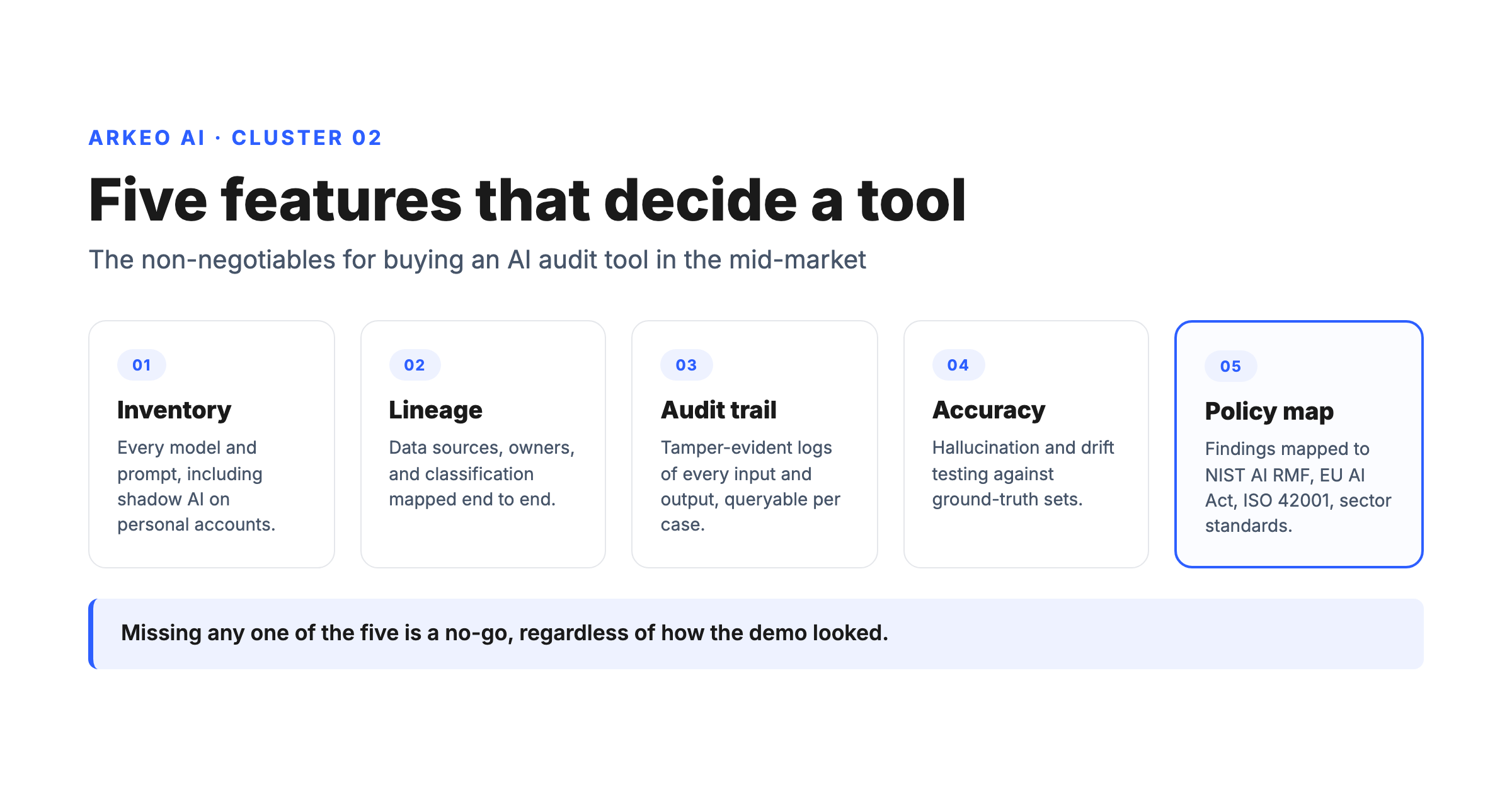
An audit tool earns its keep by automating what no human can sustain manually: the continuous capture of every model, prompt, output, and dataset in production, mapped to a policy and scored for risk. The category sells dozens of features, but only five matter at the buy stage. Treat anything missing one of these as a no-go, regardless of how the demo looked.
MUST-HAVE FEATURES
Five features that decide a tool, plus one for operators
Anything missing one of these is a no-go, regardless of how the demo looked.
FEATURE 01
Model and prompt inventory
Every model in use (cloud, API, on-premise, open source), every prompt sent to it, every output returned, and every owner. If the tool cannot find shadow AI use on personal accounts, it cannot tell you what is actually in production.
FEATURE 02
Data lineage
Where the training, fine-tuning, retrieval, and inference data came from, who touched it, and how it is classified (PII, PHI, financial, contractual). Lineage is the single feature that lets you defend the audit to a regulator or an enterprise customer.
FEATURE 03
Prompt and output logging (the audit trail)
Tamper-evident logs of every input and output, retained per policy, queryable per case. This is the AI audit trail. Without it, no incident review is possible and no insurance carrier will underwrite the workload.
FEATURE 04
Hallucination and accuracy testing
Automated evaluation of model outputs against ground-truth sets, with drift detection over time. A model that scored 92% last quarter and 78% this quarter is the failure mode that ends pilots in silence.
FEATURE 05
Bias, fairness, and policy mapping
Disparate-impact testing on protected classes for any workload touching hiring, lending, pricing, or service decisions, plus pre-mapped controls for NIST AI RMF, the EU AI Act, ISO 42001, and your industry's standard.
FEATURE 06 — THE OPERATOR ONE
An export the operator can read
A one-page diagnosis the CFO and the COO can both act on, not a 200-page PDF. If the tool cannot produce a go/fix-first/no-go decision per workload, the audit will end on a shelf.
Inventory and logging in month one beat all five features done badly. Buy for the workload shipping in 90 days, not the imagined rollout in two years.
Most mid-market buyers think they need all five features the moment they start shopping. They do not. The order of operations is inventory first, then logging, then lineage, then accuracy testing, then bias and policy mapping. A tool that does inventory and logging well is more useful in month one than a tool that does all five badly. Buy for the workload you are actually shipping in the next 90 days, not the imagined enterprise rollout in two years.
What does the AI audit tool's anatomy actually look like?
Under the hood, every credible audit tool is built on the same skeleton. Knowing the parts helps you spot the demos that are smoke and the platforms that have actual plumbing. The anatomy maps to the five must-haves above, with two operational layers underneath.
ANATOMY
Six components of an AI audit tool
Every credible platform has these six. Demos that skip a layer or substitute a screenshot are flagging the gaps the marketing site does not mention.
LAYER 01
Collection
Hooks into model APIs, application code, data stores, and the identity provider so prompts, outputs, datasets, and user actions land in one place.
LAYER 02
Storage
A tamper-evident log with retention rules per data class. This is the audit trail an insurer or regulator will pull on first.
LAYER 03
Evaluation
Runs the accuracy, drift, hallucination, and bias tests against ground-truth sets and tracks scores over time.
LAYER 04
Control
Maps findings to NIST AI RMF, the EU AI Act, ISO 42001, or the sector-specific framework that applies.
LAYER 05
Export
Dashboards, exports, and signed reports the CFO, the COO, and the board can read on one page.
LAYER 06
Identity & access
Decides who can see which prompts, who can rerun a test, and who can sign off on a workload's readiness.
Ask the vendor to walk one real prompt through every layer. If the demo skips one or substitutes a screenshot, the tool will too.
The collection layer hooks into your model APIs, your application code, your data stores, and your identity provider so prompts, outputs, datasets, and user actions land in one place. The storage layer is a tamper-evident log with retention rules per data class. The evaluation layer runs the accuracy, drift, hallucination, and bias tests. The control layer maps findings to a framework (NIST, ISO, EU AI Act, sector-specific). The export layer produces dashboards, exports, and signed reports. Underneath all of it sits an identity and access model that decides who can see which prompts, who can rerun a test, and who can sign off on a workload's readiness.
The shortcut for evaluating a tool: ask the vendor to walk one real prompt from your environment through every layer in their product. If the demo skips any layer or substitutes a screenshot for the live path, the tool has gaps the marketing site does not mention. The Deloitte State of Generative AI Wave 4 survey of 2,773 C-suite and director-level leaders across 14 countries found that more than two-thirds of enterprise respondents expect 30% or fewer of their GenAI experiments to be fully scaled within the next three to six months. A tool that cannot trace one real prompt from collection to signed report is part of why that ratio is what it is.
One more honest truth before you sign anything. Most mid-market operators come to the audit-tool category because someone, the board, the insurer, the largest enterprise customer, asked a question the team could not answer in writing. The pressure makes the buyer skip the diagnosis step and jump straight to the tool. That sequence does not work. The tool can only audit what is already inventoried; if shadow AI, unscoped data lineage, and undocumented approvals never got captured, the tool reports the missing data instead of the workload, and the team has paid for a scanner that found nothing because the targets were never put in front of it. Run the readiness diagnosis on the workload first, then bring the tool in to keep it audit-ready at scale. Run the readiness diagnosis before you license a platform. Arkeo's free AI Assessment audits one workflow end-to-end and produces a go/fix-first/no-go before you spend. The 60 minutes spent on the diagnosis is the cheapest possible step in the buying process and the one that most consistently saves the next $50K from a tool the workload was not ready to use.
See if your workflows actually need an audit toolThe free AI Assessment audits one of your workflows end-to-end and tells you whether you need a tool, a human, or both before you spend on a license.
Book Your Free AI Assessment →
What is an AI audit trail, and why does every tool sell it?
An AI audit trail is a tamper-evident, time-stamped record of every input sent to a model, every output returned, every dataset retrieved, every human approval applied, and every policy check executed against the workload. It is the single artifact a regulator, an insurer, an enterprise customer's security review, or a board investigation will demand first when an AI workload fails in a visible way.
The trail is not a log file in a developer's bucket. It is a structured ledger with three properties: completeness (no missing turns), immutability (no after-the-fact edits), and queryability (case-level retrieval inside minutes). Most off-the-shelf copilots ship with partial logs at best, which is part of the breach exposure. The IBM 2025 Cost of a Data Breach report found that organizations with high shadow-AI usage incur an extra $670,000 per breach and that 97% of organizations that suffered a breach of an AI model or application lacked proper AI access controls; 13% of breached organizations reported a breach of an AI model or application. The audit trail is the difference between an incident you can investigate in a week and one that grinds on for a quarter.
For most mid-market operators the practical rule is simple: if a workload could ever appear in litigation, regulatory inquiry, contract dispute, or a board investigation, the audit trail is a hard requirement and the tool you pick must produce it natively. If the workload is internal-only drafting with no external decisions attached, lighter logging is acceptable. Pick the tool that matches the risk class of the workload, not the brochure.
How do you choose AI audit tools versus running the audit manually?
Two questions decide it. The first: how many models, prompts, datasets, and integrations does the workload actually touch? If the answer is fewer than five and the team is under twenty people, a manual audit using spreadsheets, screen captures, and a written runbook will get you to a defensible decision faster than any tool. The second: how often does the workload change? If the model, prompt, or dataset changes weekly, manual audit will lose the race and you need automated capture before you scale.
PATH 01 — MANUAL AUDIT
Best when: one workload, fewer than five models or prompts, change cadence is monthly or slower, no regulated data.
Cost: 40 to 80 hours of senior operator time plus a written runbook.
Risk: the audit goes stale the day the prompt changes. Plan to re-run it every quarter or step up to tooling.
PATH 02 — OPEN-SOURCE TOOLKIT
Best when: the engineering team has bandwidth to integrate and operate the toolkit and the workload is internal.
Cost: licenses are free; engineering and ops time is not.
Risk: the toolkit becomes a side project that no one owns the day the engineer who set it up rotates roles.
PATH 03 — COMMERCIAL PLATFORM
Best when: multiple workloads, frequent changes, regulated data, enterprise customer or insurer asking for evidence on a known cadence.
Cost: $15K to $60K per year in the mid-market, $100K to $250K plus at enterprise scale.
Risk: you pay for features the workload does not need yet and the contract auto-renews before the audit produced a single decision.
A tool does not make a workload audit-ready. The workload has to be audit-ready first, then the tool keeps it that way at scale.
The blunt truth most vendors will not say: a tool does not make a workload audit-ready. The workload has to be audit-ready first, then the tool keeps it that way at scale. Buying a $50K platform to audit a workload sitting at Stage 1 of the ai maturity model is paying for a microscope to look at an empty slide. Arkeo's pattern on engagements is to run the readiness diagnosis first, ship the workload to Stage 3 with a written runbook, then bring in tooling once the workload's change cadence makes manual capture untenable.
How to sell an AI audit inside your company
If you are the operator who needs to get the CFO and the board behind an AI audit, the sales pitch is not about compliance theater. It is about three things the executive team already cares about: lost budget, reputational risk, and the cost of failed pilots that never made it to revenue. Anchor the pitch to all three.
FRAME 01
Protect the next budget cycle
Per Deloitte Wave 4, more than two-thirds of enterprises expect 30% or fewer GenAI experiments to fully scale in three to six months. The audit is the diagnostic that keeps the next AI budget defensible.
FRAME 02
Price the breach
Global average breach cost is $4.44M, US average $10.22M, and shadow-AI usage adds $670,000 per IBM 2025. The audit is the first cheap control that bends those numbers.
FRAME 03
Name the people gap
The IBM 2025 IBV CEO Study of 2,000 CEOs across 33 countries reports lack of expertise as the top barrier to AI innovation. The audit produces the org-chart questions the CEO needs answered.
FRAME 04
Shorten the next build
A clean audit lops weeks off the next workflow agent build because the data inventory, integration map, and approval design are already done. The audit pays for itself on the second project.
Skip the policy-and-framework language with the executive team. Sell the audit as the unlock on the next $250K of capital allocation, not as a compliance overhead. BCG research published in October 2024 found that 74% of companies struggle to achieve and scale value from AI and only 4% have built cutting-edge AI capabilities that consistently generate significant value. The audit is how the operator moves from 74% to 4% without writing off another quarter.
What are the common buying traps with AI audit tools?
Three traps recur in the mid-market. Each one looks like progress in the demo and shows up as a write-off two quarters later.
BUYING TRAPS
Three patterns that turn a license into a write-off
Each one looks like progress in the demo and shows up as a dead line item two quarters later.
TRAP 01
Analysis-paralysis dashboard
A tool that produces 47 risk scores and zero decisions per workload.
Do instead: require the demo to produce a go/fix-first/no-go on one real workload.
TRAP 02
Wrong-scale platform
A platform built for enterprise SOCs with dedicated AI risk teams the mid-market does not staff.
Do instead: name the operator on payroll who will run it weekly before you sign.
TRAP 03
Buying for a regulation that does not yet apply
A license priced against an EU AI Act or sector rule the workload will not touch this year.
Do instead: buy for the workload shipping in the next 90 days, not the imagined rollout in two years.
Ask the vendor to walk one workload from inventory to a signed decision in 30 minutes of demo time. If the demo cannot, neither can the tool.
The cleanest filter for any audit-tool demo: ask the vendor to show one workload going from inventory to a signed decision in under 30 minutes of demo time. If the demo can do it, the tool can probably do it in your environment with reasonable effort. If the demo cannot do it, no marketing slide is going to fix that in production. The vendor's strongest answer to that question is usually a customer case study in your industry with the actual decision attached, not a screenshot.
Where do AI audit tools fit in the Arkeo Assess, Deploy, Manage model?
The tool layer sits in two places. During Assess, an audit tool accelerates the readiness diagnosis on the candidate workload by inventorying current AI use, surfacing shadow tools, and capturing baseline accuracy on the model in production. After Deploy, the tool keeps the workload audit-ready at scale by running continuous logging, drift detection, and policy mapping. Arkeo has been deploying agents on this pattern since 2023, built on 25 years operating a real business, including the agents that run Arkeo itself: we use what we sell, which means the audit tooling on our own workloads runs in production alongside the workflow agents, not as a separate project.
Picture a 200-person specialty manufacturer that bought a copilot for engineering, a separate copilot for support, and is now considering a custom quoting agent. The audit tool's job at that company is to surface the two copilots already in use (most operators undercount by half), log the prompts going into both, score the accuracy of the support copilot on the actual ticket pattern, flag the quoting workflow's data lineage gaps, and map every finding to NIST AI RMF. The tool's output is the input to the operator decision: ship the quoting agent now, fix the data gap first, or pull the support copilot until the prompt drift is contained. A scoped single-workflow agent in this pattern typically runs $15K to $40K and reaches production in 6 to 10 weeks, 8 to 12 weeks when the deployment is private or on-premise. Those are Arkeo's own build ranges, not sourced benchmarks.
Quick checklist before you sign any AI audit tool contract
CHECK 01
The workload exists
You can name one workload the tool will audit in the first 30 days. If you cannot, you are buying a microscope before you have a slide.
CHECK 02
The tool produces a decision
The output is a go/fix-first/no-go per workload, not a 200-page PDF. Ask to see a sanitized real customer report before you sign.
CHECK 03
A named operator owns it
Someone on payroll is accountable for running it weekly and reading the output. No owner means the license auto-renews into a dead workflow.
CHECK 04
The contract has an exit
A one-year initial term with a clean exit on data export. Multi-year lock-ins on an early-category tool cost more than they save.
Audit your workflows before you license a toolArkeo's free AI Assessment audits one of your workflows end-to-end and tells you whether you need an audit tool, an audit firm, or a workflow agent. No pitch deck.
Book Your Free AI Assessment →





